Microwave Noise Troubleshooting: Quick Fixes That Work
Most microwave noises come from loose parts, the turntable, or the magnetron cooling fan.
I have spent years fixing kitchen appliances and studying microwave noise troubleshooting, so I know which sounds mean simple fixes and which need a pro. This guide walks you through diagnosing clicks, buzzing, grinding, and rattles. You will learn step-by-step checks, safe repairs you can try, and when to stop and call a technician. Expect clear examples, real-life tips from my repair work, and practical prevention steps you can use today to quiet your microwave.
Common causes of microwave noise
Microwave noise troubleshooting starts with knowing what makes each sound. Different parts create different noises. Here are the usual suspects.
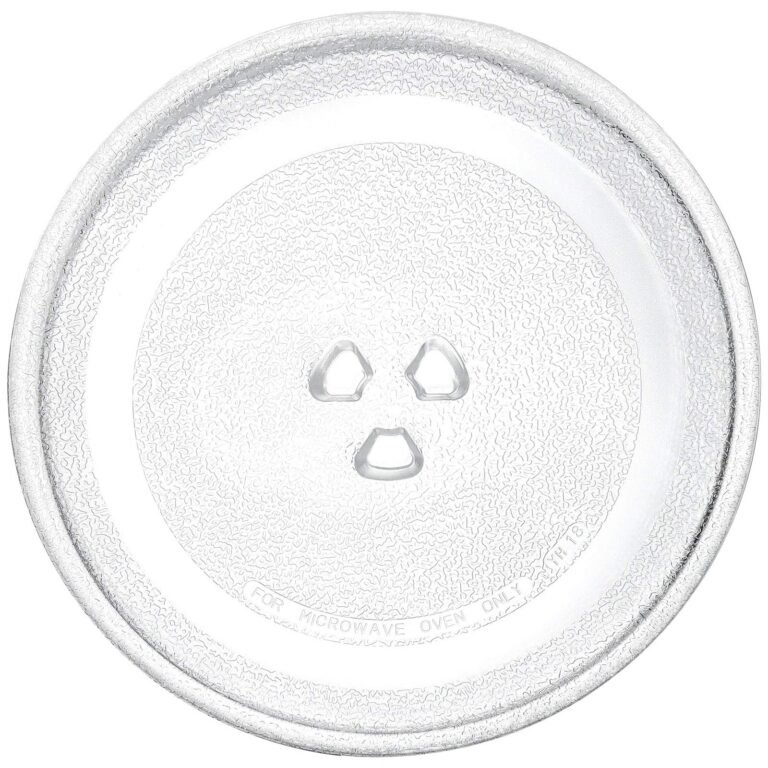
- Turntable motor and rollers: A misaligned or worn turntable motor makes grinding or squeaking sounds.
- Stirrer or waveguide cover: A loose stirrer fan or warped cover can rattle or buzz.
- Cooling fan and vent: Fans hum when dirty or failing. They also vibrate if mounts are loose.
- Magnetron and transformer: A loud buzz or arcing sound can come from high-voltage components.
- Door latch and hinges: Clicking or popping often comes from latch alignment issues.
- Loose hardware: Screws or brackets inside the cabinet can cause intermittent rattles.
From my experience, turntable issues and loose screws cause most homeowner complaints. The magnetron usually shows more serious warning signs, like burning smells or power loss, so treat those symptoms with caution.

How to diagnose noisy microwaves step-by-step
Follow safe, simple steps to identify the source. Always unplug the microwave before opening panels.
- Observe the noise: Run an empty cup of water for 30 seconds. Note when and where the sound occurs.
- Visual check: Look at the turntable, rollers, and the waveguide cover for damage or debris.
- Turntable test: Remove the turntable and run the microwave briefly (only with a cup of water). If noise stops, the turntable assembly is likely the culprit.
- Fan check: If the sound comes from the back or top, inspect the cooling fan and vent. Clean dust and tighten mounts.
- Door and latch test: Open and close the door slowly. Check for misalignment or worn latch parts.
- Internal inspection: If comfortable, remove exterior panels after unplugging. Look for loose screws, rattling parts, or burn marks near the magnetron.
- Electrical sounds: Buzzing or arcing inside usually points to high-voltage components. Stop use and call a professional if you hear arcing.
I once fixed a microwave where the noise was just a pebble stuck under the roller ring. Small things make big noise. Keep records of what you tried so a technician can help faster if needed.
Fixes by noise type
Here are targeted fixes based on the sound you hear. Perform basic fixes only when you are confident and the appliance is unplugged.
Buzzing or humming
- Clean the cooling fan and vents to remove dust.
- Tighten fan mounts and replace worn fans.
- If buzzing comes from the interior and repeats even when clean, it may be the magnetron or transformer—stop and get a pro.
Grinding or squeaking
- Remove the turntable and roller ring. Clean grease and debris.
- Inspect the turntable motor; replace if bearings are worn.
- Replace cracked roller rings or a warped glass tray.
Rattling or clanking
- Tighten loose screws on the cabinet and interior panels.
- Secure any loose brackets near the waveguide cover.
- Replace broken clips or gaskets that hold parts in place.
Clicking or popping
- Check door latches and switches for wear.
- Replace faulty door switches; these also affect safety interlocks.
- If clicking accompanies sparks, discontinue use and call a technician.
High-pitched whine
- Often caused by failing capacitors or inverter circuits in models with variable power.
- This requires a trained technician and proper test equipment.
When in doubt, stop. High-voltage parts can be lethal. My rule: simple mechanical fixes are fine for DIY; anything involving the high-voltage section is for pros.

Safety, tools, and when to call a pro
Safety must come first in microwave noise troubleshooting. Microwaves store lethal voltages even when unplugged.
- Safety first: Unplug the appliance before opening it. Discharge the capacitor if you must work inside. If you do not know how, do not attempt it.
- Basic tools: Screwdrivers, nut drivers, a multimeter, and a flashlight will cover most checks.
- Parts to replace at home: Turntable motor, rollers, waveguide cover, and rubber gaskets are usually safe to replace with the cabinet closed.
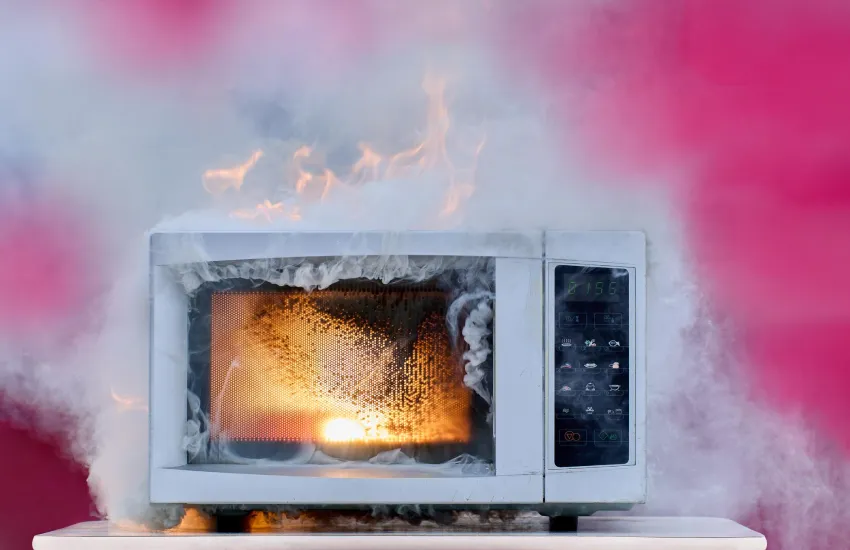
- Call a pro when: You see burn marks, smell burning, hear arcing, or suspect magnetron, capacitor, or transformer failure.
- Warranty and certification: Check your warranty before repairs. Use certified technicians for high-voltage repairs.
I once attempted to repair a buzzing magnetron myself and ended up calling a pro after I noticed scorch marks. It saved me time and risk.
Maintenance and noise prevention tips
Consistent care reduces the need for microwave noise troubleshooting and keeps the oven quiet.
- Keep the interior clean: Food debris on the waveguide cover or floor can cause noise.
- Clean vents and fans: Regular vacuuming and wiping stop fan hum and overheating.
- Use microwave-safe covers: They prevent splatter that can clog the stirrer and waveguide.
- Rotate loads: Check turntable alignment and replace cracked trays promptly.
- Tighten fasteners: Inspect screws and clips every few months to stop rattles.
- Professional checkup: Schedule service if your microwave is older than 8–10 years or has recurring noise.
A small habit I use: wipe the microwave weekly after heavy use. It costs minutes and prevents noisy repairs later.

Frequently Asked Questions of microwave noise troubleshooting
What does a buzzing microwave mean?
A buzzing microwave often points to the cooling fan, magnetron, or transformer working harder than normal. Clean fans and vents first; if buzzing persists with a burning smell or arcing, stop use and call a technician.
Is it safe to run a microwave without the turntable?
You can run a microwave briefly with a cup of water and no turntable, but repeated use without the platter can concentrate energy unevenly. Avoid long runs without the turntable in place.
How do I stop a rattling microwave?
Tighten loose screws, replace worn roller rings, and secure loose interior parts. A quick visual inspection and simple tightening often stops the noise.
Can worn door switches cause noise?
Yes. Worn or misaligned door switches may click or create intermittent power that sounds like clicking or popping. Replace switches promptly to maintain safety.
When should I replace the microwave instead of repairing it?
Replace the microwave if it is over 10 years old, repair costs more than half a new unit, or if it has major high-voltage failures. Also replace if safety features are compromised.
Will cleaning the waveguide cover fix buzzing?
Cleaning the waveguide cover can fix some buzzing and arcing that come from food buildup. If buzzing returns after cleaning, the issue may lie with the stirrer motor or high-voltage parts.
Conclusion
Microwave noise troubleshooting is a mix of careful listening, simple checks, and safe decisions. Start with the easy fixes: clean the interior, inspect the turntable, and tighten loose parts. Stop and call a pro if you find arcing, burn marks, or suspect high-voltage faults. Small maintenance habits go a long way to keep your microwave quiet and reliable. Try the steps here, learn from each check, and share your results or questions below to keep learning.