Coffee Maker Brewing & Troubleshooting: Complete Guide to Better Coffee
Coffee maker problems can ruin an otherwise simple morning. A machine may stop brewing, drip too slowly, make weak coffee, overflow, leak, or leave water in the tank. The good news is that many common faults have simple causes and safe fixes.
Good Coffee Maker Brewing & Troubleshooting starts with the basics. Before you blame the machine, check the water level, coffee amount, filter, grind, and brew setting. These small details can change both the taste and the way water moves through the machine.
In regular coffee maker care, one lesson stands out: clean equipment gives more stable results. Coffee oils, fine grounds, and mineral scale can build up over time. A short cleaning routine can help the brewer run well and make better coffee.
How a Coffee Maker Brewing Cycle Works
A basic drip coffee maker follows a simple path. Water moves from the reservoir into a heating area. The hot water then travels to the brew basket, passes through the coffee grounds, and flows into the carafe.
The machine must keep this flow steady. If a tube is blocked or the heating system is not working well, the brew cycle may slow down or stop. Understanding this path makes Coffee Maker Brewing & Troubleshooting much easier.
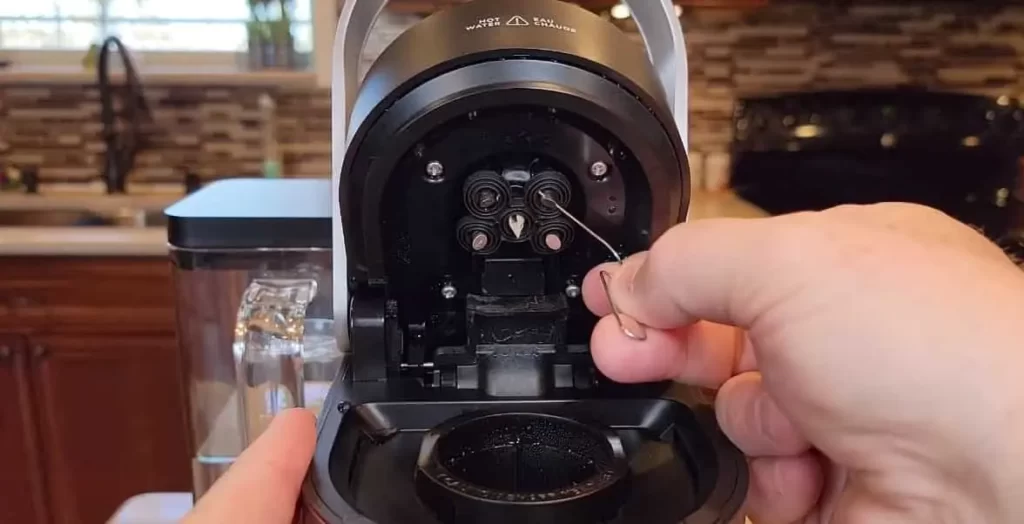
Single-serve machines work in a similar way, but they use a pod or capsule and often have pumps, sensors, and smaller water paths. That means a blocked needle, air lock, or mineral buildup can stop a cup from brewing.
- ✦ Water reservoir
Holds the water used during the brew cycle. Low water or poor seating can stop some machines from brewing.
- ✦ Heating system
Heats the water before it reaches the coffee. A fault here can cause cold or poorly brewed coffee.
- ✦ Brew basket
Holds the filter and coffee grounds. A clogged basket can slow water flow.
- ✦ Carafe or cup
Collects the brewed coffee. A badly placed carafe can cause some machines to stop dispensing.
Why Brew Flow Matters
Coffee needs even contact with hot water. If water moves too fast, the coffee can taste thin. If it moves too slowly, the cup may taste harsh or bitter.
This is why grind size, coffee dose, filter choice, and machine cleanliness all matter. They affect how easily water passes through the coffee bed.
- ✦ Fast flow
May lead to weak or thin coffee, especially when the grind is too coarse or the coffee dose is too low.
- ✦ Slow flow
May come from fine grounds, too much coffee, a clogged filter, or mineral buildup.
How to Brew Better Coffee at Home
Good brewing begins before you press the start button. Use fresh coffee, clean water, and the correct amount of coffee for your machine. For drip coffee, a medium grind is a useful starting point, but the best setting depends on the brewer and the coffee.
Use the filter size made for your machine. Do not force a small filter into a large basket or overfill the basket. Too much coffee can restrict water flow and may cause an overflow.
Water quality also matters. In many U.S. homes, tap water is safe to drink but can still contain minerals that affect taste and build scale inside the machine. Filtered water can improve flavor and may reduce mineral buildup, depending on its mineral content.
For consistent Coffee Maker Brewing & Troubleshooting, change one factor at a time. If the coffee tastes weak, first adjust the dose or grind. If it tastes bitter, try a slightly coarser grind or a shorter contact time instead of changing everything at once.
- ✦ Use fresh coffee
Freshly opened beans or grounds usually give a cleaner aroma and fuller flavor than stale coffee.
- ✦ Choose a medium grind
A medium grind works well as a starting point for many drip brewers. Adjust it based on taste and brew speed.
- ✦ Measure your coffee
Use a consistent dose each time. This makes it easier to find the right strength.
- ✦ Use clean water
Fresh, good-tasting water helps reduce unwanted flavors in the finished cup.
- ✦ Keep the machine clean
Coffee oils and mineral scale can affect taste and water flow.
Why Coffee Can Taste Weak
Weak coffee often comes from too little coffee, a grind that is too coarse, too much water, or a short brew cycle. Old coffee can also taste flat even when the recipe is correct.
Start with the simplest change. Add a little more coffee or use a slightly finer grind, then brew again. Avoid making large changes at once.
- ✦ Too little coffee
A low coffee dose creates a weak cup even when the machine works correctly.
- ✦ Grind too coarse
Large grounds can let water pass too quickly and may reduce extraction.
Why Coffee Can Taste Bitter
Bitter coffee can result from over-extraction, very fine grounds, a long brew time, or dark coffee that does not suit your taste. Old coffee oils left in the machine can also add a harsh flavor.
Clean the brew basket and carafe first. If the problem remains, try a slightly coarser grind or reduce the coffee-to-water contact time.
- ✦ Fine grind
Very fine grounds can slow water flow and increase extraction.
- ✦ Long brew
A long contact time can pull more compounds from the coffee and create a harsh taste.
Coffee Maker Not Brewing: Common Causes and Fixes
A coffee maker that does nothing can have a very simple cause. Check the power connection, water reservoir, lid, carafe position, and brew settings before opening the machine.
If the machine has power but does not move water, a blocked water path or mineral buildup may be the cause. Single-serve models may also have a clogged entrance or exit needle.
Never open a powered coffee maker to inspect electrical parts. Unplug the unit first. If you smell burning, see damaged wiring, or find signs of overheating, stop using the machine and seek qualified service.

- ✦ No power
Check the outlet, plug, power switch, and circuit breaker. Do not use a damaged cord.
- ✦ No water flow
Check the reservoir, water path, and visible openings for blockage or mineral buildup.
- ✦ Carafe not seated
Some drip machines use a carafe switch or valve. Place the carafe correctly and try again.
- ✦ Blocked single-serve needle
Coffee grounds can block the pod entry or exit path. Follow the manufacturer’s cleaning steps.
- ✦ Mineral scale
Scale can reduce water flow and affect heating. Run the manufacturer’s approved descaling cycle.
Coffee Maker Turns On but Does Not Brew
When the display or lights work but no coffee comes out, focus on water flow. Check that the reservoir contains enough water and sits firmly in place.
Then inspect the filter basket for a blockage. If the machine has not been descaled for a long time, mineral buildup may restrict internal water flow. Use the cleaning method listed for your exact model.
- ✦ First check
Confirm water, filter, coffee basket, lid, and carafe placement.
- ✦ Next check
Look for visible grounds or debris around removable water-contact parts.
- ✦ Then descale
Run the approved descaling cycle if scale may be affecting the machine.
Coffee Maker Stops Halfway Through Brewing
A machine that starts and then stops may have a blocked flow path, overheating issue, incorrect setup, or internal fault. Let the machine cool if the manual calls for a cooling period, then check the simple causes.
If the same fault returns after cleaning and descaling, service may be needed. Repeated stopping should not be ignored when the machine becomes unusually hot or makes a new electrical smell.
- ✦ Cool down
Allow the machine to cool if it has become unusually hot and the owner’s manual supports this step.
- ✦ Check for blockage
Inspect removable parts and visible water openings for coffee grounds or scale.
Slow Brewing, Weak Flow, and Incomplete Pots
Slow brewing is one of the clearest signs that water is not moving through the machine as it should. Coffee grounds, paper fibers, and mineral scale can all restrict flow.
Start by removing and washing the filter basket and carafe. Do not use a sharp object to force debris into an internal tube. That can damage a valve or push the blockage deeper.
If cleaning the removable parts does not help, descaling is the next logical step for machines that support it. Follow the product manual because cleaning agents and procedures vary by model.

- ✦ Wash removable parts
Clean the brew basket, reusable filter, carafe, and lid with the method recommended by the manufacturer.
- ✦ Check the grind
A very fine grind can slow water movement and may cause an overfilled or clogged filter.
- ✦ Check the coffee dose
Too much coffee can restrict the brew bed and reduce flow.
- ✦ Descale when needed
Mineral deposits can build inside water paths and heating areas over time.
Why the Coffee Maker Does Not Use All the Water
Some water remains in a coffee maker after brewing because part of the water can stay in the internal system or be retained by the coffee grounds. A noticeable change from the machine’s normal output is more important than a small amount of retained water.
If the machine leaves much more water than usual, check for a clogged filter, blocked outlet, scale, or an incomplete brew cycle. Compare the behavior with the owner’s manual before assuming the machine has failed.
- ✦ Normal retention
Some water may remain inside the machine or coffee grounds after a normal cycle.
- ✦ Possible blockage
A sudden change in retained water can point to restricted flow or a brewing fault.
Coffee Maker Overflowing or Leaking
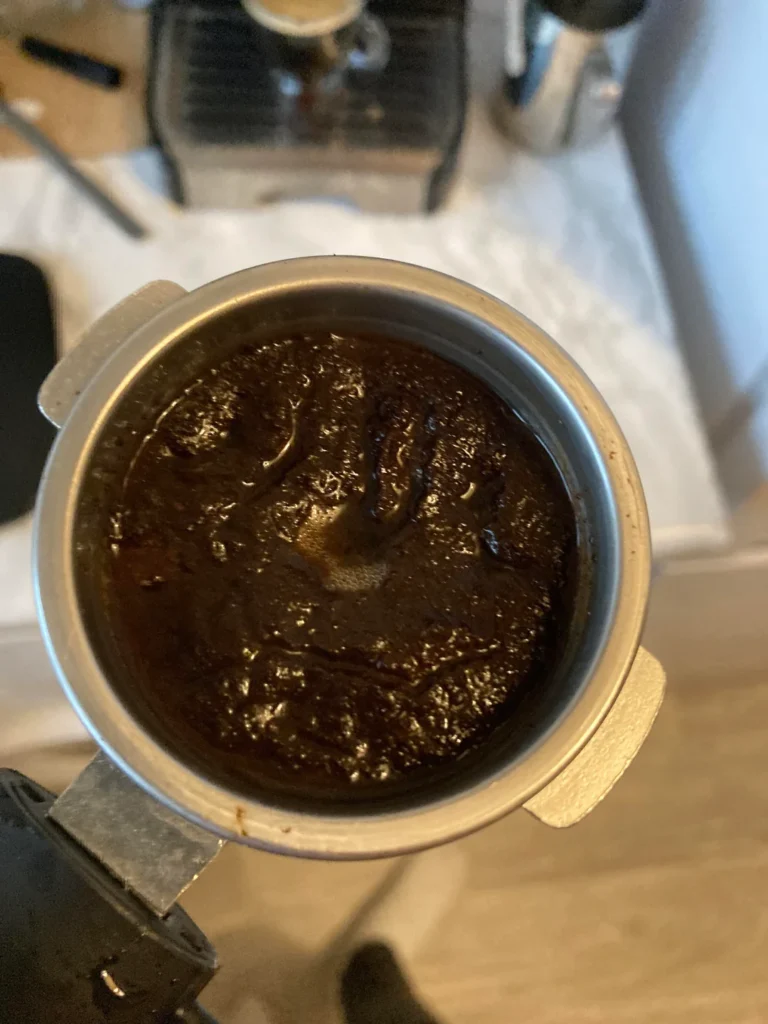
An overflowing coffee basket is often caused by restricted flow. A clogged paper filter, too much coffee, very fine grounds, or an incorrectly placed filter can cause water to rise faster than it can drain.
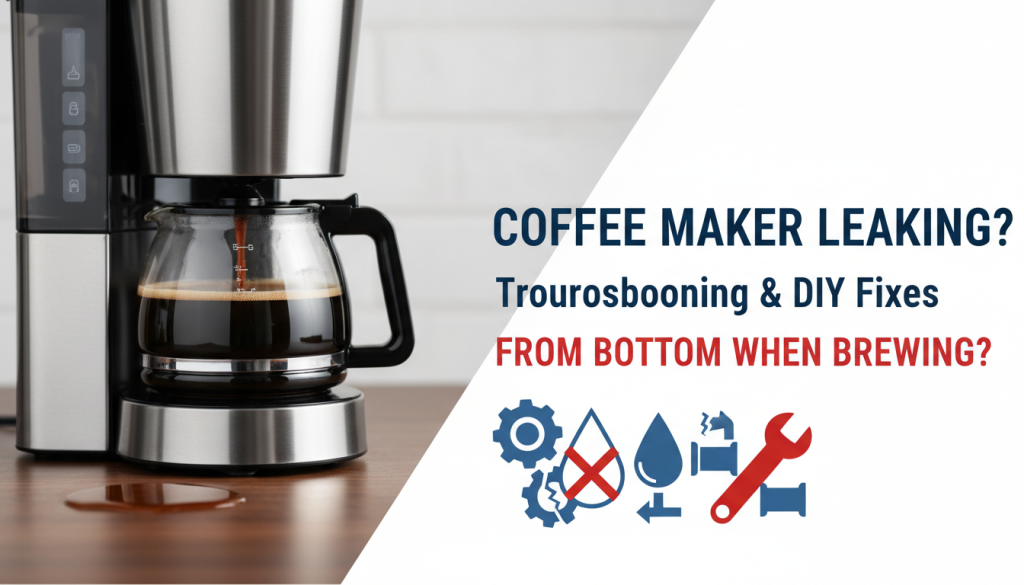
Leaking from the bottom is different. It can point to a loose reservoir, worn seal, cracked part, blocked internal path, or an internal component problem. Dry the machine, unplug it, and find the source before using it again.
Do not keep running a machine that leaks near electrical parts. Water and electricity create a serious safety risk. When a leak comes from inside the housing, professional service or replacement may be safer than a home repair.
- ✦ Too much coffee
An overfilled basket can restrict flow and push water over the edge.
- ✦ Wrong filter
A filter that does not fit the basket can fold, collapse, or block the outlet.
- ✦ Fine grounds
Very fine coffee can slow drainage and increase the risk of overflow.
- ✦ Loose seal
A worn or poorly seated seal can allow water to escape from the reservoir or internal connection.
What to Do When a Coffee Maker Leaks from the Bottom
First, unplug the coffee maker and move it away from the wet area. Wipe the outside dry and inspect the reservoir, removable tank, lid, and visible seals.
If the leak appears only during brewing and comes from inside the base, do not keep testing the machine while it is powered. An internal hose, valve, seal, or heating assembly may need service.
- ✦ Stop the brew
Turn the machine off and unplug it before handling a leak.
- ✦ Find the source
Check removable tanks, seals, and visible connections without opening the electrical housing.
- ✦ Know when to stop
Internal leaks, damaged cords, burning smells, or electrical faults call for professional service or replacement.
Cleaning and Descaling for Reliable Brewing
Cleaning removes coffee oils and grounds. Descaling removes mineral deposits from water. These are different jobs, and a machine may need both.
Wash removable coffee-contact parts on a regular schedule based on use. Empty and rinse the water reservoir as directed by the manufacturer. Let parts dry fully when the manual allows it.
Descale when the manufacturer recommends it or when you notice slower flow, unusual noise, longer brew times, or a change in normal operation. Use the product’s approved descaler and follow the stated rinse steps.
A common mistake in Coffee Maker Brewing & Troubleshooting is treating every cleaning method as universal. Vinegar is often discussed as a home descaling option, but some manufacturers advise against it. The manual for your model should come first.

- ✦ Clean the brew basket
Remove coffee residue and fine grounds that can restrict water flow.
- ✦ Clean the carafe
Coffee oils can build up on the glass or stainless steel and affect flavor.
- ✦ Clean the water area
Follow the manual for cleaning the reservoir and other water-contact parts.
- ✦ Run a descaling cycle
Use the approved descaling product and process for your specific machine.
- ✦ Rinse well
Complete the manufacturer’s rinse process before making coffee again.
How Often Should You Descale a Coffee Maker?
There is no single schedule that fits every coffee maker. Water hardness, machine design, and how often you brew all affect scale buildup.
If your machine has a descale light or message, follow it. If it does not, watch for changes in brew speed, water flow, noise, and taste, then follow the maintenance schedule in the manual.
- ✦ Hard water
Mineral-rich water can lead to scale buildup faster than softer water.
- ✦ Frequent use
A machine used several times a day may need maintenance more often.
Coffee Temperature Problems and Brewing Quality
Coffee that tastes cold or lacks balance may come from the machine, the cup, or the brewing setup. A cold carafe or cup can pull heat from fresh coffee very quickly.
If the coffee maker consistently brews much cooler than it normally does, check the manual for temperature settings and maintenance steps. Scale can affect heating and water flow in some machines.
Do not open the heating system to test electrical parts unless you are trained and the manufacturer permits service. For a home user, cleaning, descaling, settings, and proper setup are the safer first steps.
- ✦ Warm the serving vessel
A warm carafe or mug can help the coffee hold its heat longer.
- ✦ Check the brew setting
Some machines offer temperature or strength settings that can change the result.
- ✦ Maintain the machine
Cleaning and descaling can help preserve normal water flow and heating performance.
Why Coffee Tastes Different Even When the Machine Works
Coffee flavor can change with the beans, roast, grind, water, dose, and storage. A working coffee maker does not guarantee the same flavor every day.
Store coffee in a dry, airtight container and protect it from heat and moisture. Grind only as much as you need when possible, since ground coffee loses freshness faster than whole beans.
- ✦ Coffee age
Older coffee may lose aroma and taste flat.
- ✦ Water quality
Water with a strong taste can affect the flavor of the final cup.
A Simple Coffee Maker Troubleshooting Process
The fastest way to solve a coffee maker problem is to work from simple causes to complex ones. Start with power and water. Then check the filter, coffee dose, grind, carafe, visible blockages, cleaning, and descaling.
Change only one thing at a time when possible. This helps you identify the real cause instead of masking the problem with several changes.
This method also saves money. Many coffee makers get replaced when the actual problem is a clogged filter basket, scale buildup, poor setup, or an incorrectly fitted part.
- ✦ Step 1: Check power
Make sure the plug, outlet, switch, and circuit are working. Stop if the cord is damaged.
- ✦ Step 2: Check water
Fill the reservoir to the correct level and make sure it is seated properly.
- ✦ Step 3: Check coffee and filter
Use the correct filter, dose, and grind for the machine.
- ✦ Step 4: Check flow
Look for visible grounds, clogged removable parts, or signs of mineral buildup.
- ✦ Step 5: Clean
Wash coffee-contact parts and follow the manufacturer’s cleaning process.
- ✦ Step 6: Descale
Use the approved descaler and follow the complete cycle if scale is suspected.
- ✦ Step 7: Test
Run a normal brew with water or a small test batch as recommended by the manual.
- ✦ Step 8: Seek service
Stop using the machine if there is an internal leak, burning smell, damaged cord, electrical fault, or repeated failure after basic care.
When Coffee Maker Troubleshooting Should Stop
Home troubleshooting should focus on safe user-serviceable parts. It should not include live electrical testing, opening sealed heating systems, or bypassing safety switches.
If a machine trips a breaker, gives off a burning smell, shocks the user, leaks from the electrical base, or shows melted plastic, stop using it. A qualified repair professional or replacement may be the safer choice.
- ✦ Electrical smell
Stop using the machine if you notice a burning or melted-plastic smell.
- ✦ Damaged cord
Do not use a coffee maker with exposed wires, cuts, or damaged plugs.
- ✦ Internal water leak
Do not continue brewing if water reaches the electrical base.
Keurig, Ninja, Cuisinart, and Other Coffee Maker Issues
Brand names can change the troubleshooting steps, even when the basic problem looks the same. A Keurig may need attention around its pod holder and needles, while a drip machine may need a filter basket or carafe check.
Ninja and Cuisinart machines can also have model-specific cleaning cycles, settings, sensors, and water systems. The exact button sequence can differ between models.
For that reason, use general Coffee Maker Brewing & Troubleshooting principles first, then check the manual for your exact model. Do not assume that a procedure made for one model applies to another.

- ✦ Keurig
Check the water reservoir, pod holder, needles, brew settings, and descaling prompts according to the exact model.
- ✦ Ninja
Check water, brew mode, carafe placement, filter setup, cleaning alerts, and model-specific maintenance steps.
- ✦ Cuisinart
Check the water reservoir, filter basket, carafe position, controls, and cleaning or self-clean cycle for the model.
- ✦ Other brands
Use the same basic diagnostic order but follow the manufacturer’s instructions for buttons, parts, cleaners, and service.
Single-Serve Coffee Maker Troubleshooting
Single-serve machines can fail when a pod is not seated correctly or when coffee grounds block the needle area. They may also stop when the reservoir is not detected or when the machine needs cleaning.
Remove the pod and follow the model’s cleaning instructions. Never insert a sharp tool into a needle or opening unless the manufacturer specifically says to do so.
- ✦ Check pod placement
Make sure the pod is the correct type and sits correctly in the holder.
- ✦ Check the reservoir
Confirm that the tank has enough water and is seated correctly.
- ✦ Clean safely
Use the manufacturer’s approved method for cleaning the pod holder and needles.
Common Brewing Mistakes to Avoid
Many coffee problems are caused by routine habits rather than broken machines. Overfilling the basket, using the wrong grind, skipping cleaning, and ignoring scale can slowly reduce performance.
Another common mistake is changing too many settings at once. If you change the grind, dose, water amount, and coffee brand together, it becomes hard to know which change helped.
Good Coffee Maker Brewing & Troubleshooting is a process. Make one small change, brew again, taste the result, and keep the setting that works.
- ✦ Do not overfill the basket
Too much coffee can restrict flow and increase the chance of an overflow.
- ✦ Do not ignore slow brewing
A slower-than-normal cycle can be an early sign of buildup or blockage.
- ✦ Do not use random cleaners
Use products and methods that the manufacturer approves for your machine.
- ✦ Do not force stuck parts
Forcing a reservoir, basket, lid, or needle can damage plastic parts or seals.
- ✦ Do not keep using unsafe equipment
Electrical damage, internal leaks, burning smells, or shocks are reasons to stop and seek service.