Food Processor Troubleshooting: Common Problems and Easy Fixes
A food processor can stop working at the worst time. You may be making salsa, dough, nut butter, or a quick batch of chopped vegetables when the motor suddenly stops. Good food processor troubleshooting starts with the simple checks first. Many faults do not mean the machine needs a new motor or a costly repair.
In practice, the bowl and lid are often worth checking before the motor. Most food processors use safety locks that prevent the motor from running unless the bowl and lid sit in the right position. Overloading can also make a healthy motor slow down, stop, or heat up. This guide explains how to find the cause in a safe and simple way.
How to Start Food Processor Troubleshooting Safely
Safety comes first. Turn the food processor off and unplug it before you touch the blade, bowl, lid, or drive area. Never put your hand inside the bowl while the machine is plugged in.
Start with the least complex cause. Check the outlet, power cord, bowl position, lid lock, and control buttons. If the processor stopped during use, let it cool before trying again.
Your owner’s manual also matters. Different brands use different locks, buttons, drive parts, and overload systems. A model-specific manual can tell you which parts are removable and which parts need service.
- ✦ Unplug first
Disconnect the processor from the wall before checking or cleaning moving parts.
- ✦ Check for damage
Look for a cracked bowl, damaged lid, broken blade, loose cord, or signs of melting.
- ✦ Let a hot unit cool
If the motor feels very hot or stopped during heavy work, allow it to cool fully before testing it again.
- ✦ Use the manual
Follow the instructions for your exact model when removing parts or resetting an overload system.
When You Should Stop Troubleshooting
Do not keep testing a processor that makes sparks, gives off a strong burning smell, shows smoke, or has a damaged power cord. These signs can point to an electrical or motor fault. Unplug the unit and arrange service or replacement.
- ✦ Burning smell
Stop using the machine if the smell remains after it cools.
- ✦ Sparks or smoke
Unplug the processor and do not run it again until the fault is checked.
Food Processor Won’t Turn On
A processor that does nothing when you press the button can have a simple cause. The outlet may not have power, the plug may be loose, or the bowl and lid may not be locked in place. Some models will stay completely silent until their safety switches engage.
Test the outlet with another suitable appliance if you can do so safely. Then check that the processor plug sits firmly in the outlet. If the outlet works, unplug the processor and inspect the bowl and lid for correct alignment.
If the motor still does not respond, avoid opening the motor housing unless the manufacturer specifically allows it. Internal switches, fuses, wiring, and motor parts can require trained service.
- ✦ Power outlet
Make sure the outlet works and the plug is fully inserted.
- ✦ Power cord
Check the cord for cuts, exposed wires, crushed areas, or heat damage.
- ✦ Bowl lock
Remove and reseat the bowl so its locking tabs line up with the base.
- ✦ Lid lock
Fit the lid in the position shown in the manual. The processor may not run if the safety lock is not engaged.
- ✦ Control button
Try the correct Pulse, On, or other control listed for your model.
Why the Safety Lock Matters
The safety lock helps keep the blade from running when the bowl or lid is not correctly fitted. Do not try to bypass or defeat this feature. If the processor will not start after correct assembly, the lock or switch may need service.
- ✦ Reseat the bowl
Turn the bowl until it reaches the normal locked position for your model.
- ✦ Reseat the lid
Make sure the lid and feed tube sit in the correct position before testing the machine.
Food Processor Starts Then Stops
A processor that starts and then stops may be protecting itself from too much heat or too much load. Thick dough, hard foods, large pieces, or a full bowl can place a heavy demand on the motor. Some machines may also stop when a safety switch loses contact.
First, turn the processor off and unplug it. Remove some of the food and check that the blade can move freely by hand only after the unit is unplugged. Let the motor cool before you test it again.
If the processor works with a smaller load, the earlier batch may have been too large or too dense. If it stops even with a light load, the machine may have a mechanical, electrical, or motor problem.
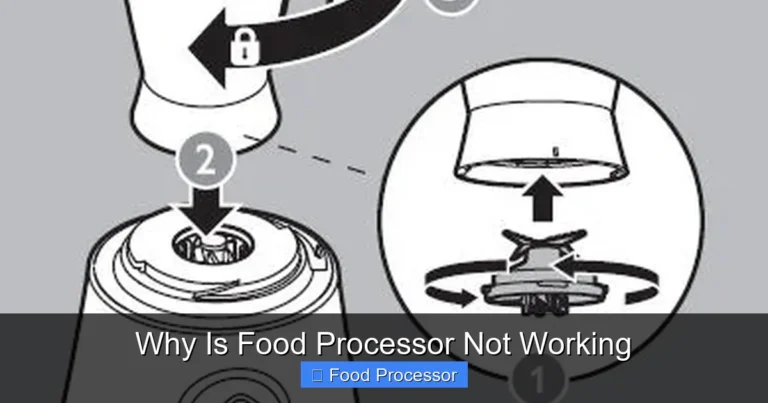
- ✦ Reduce the load
Process food in smaller batches instead of filling the bowl beyond the recommended level.
- ✦ Cut large food pieces
Smaller, even pieces reduce the force needed to start and process food.
- ✦ Cool the motor
Give a hot motor time to cool before another test.
- ✦ Check for a jam
Unplug the unit and remove food that blocks the blade or shaft.
Overloading and Motor Heat
Heavy work can make a motor hot. Dough, nut butter, cheese, and other dense foods can place more strain on the processor than soft vegetables. Follow the batch size and run-time limits in your model’s manual.
- ✦ Dense food
Use smaller batches when processing thick or heavy mixtures.
- ✦ Repeated cycles
Allow the motor to rest when the manual calls for a cooling period.
Food Processor Blade Is Not Spinning or Cutting Well
If the motor runs but the blade does not spin, the issue may involve the blade, drive shaft, bowl, or drive coupler. Unplug the machine before inspecting any of these parts. Do not hold the blade by its sharp edge.
If the blade spins but food stays in large pieces, the problem may be food placement, batch size, blade condition, or the wrong attachment. A dull or damaged blade can also give poor results, especially with hard foods.
Use the correct blade for the task. The standard S blade works well for many chopping and mixing jobs, while slicing and shredding discs have different jobs. Never force a damaged blade or attachment into place.

- ✦ Check the blade fit
Make sure the blade sits fully on the drive shaft and matches the instructions for your model.
- ✦ Inspect for damage
Look for cracks, bends, chips, or other damage before using the blade again.
- ✦ Use even pieces
Cut large foods into similar pieces to help the blade process them evenly.
- ✦ Avoid overfilling
A packed bowl can prevent food from moving through the cutting area.
Why Food Gets Stuck Under the Blade
Soft or sticky foods can collect around the blade and bowl. Stop the processor, unplug it, and use a suitable spatula to remove food only when the blade is fully stopped and safe to handle. A smaller batch and short pulses can improve food movement.
- ✦ Sticky mixtures
Use short pulses and smaller batches for foods that cling to the bowl.
- ✦ Wrong attachment
Choose the blade or disc made for the food and task.
Food Processor Is Noisy, Shaking, or Smells Hot
Some noise is normal. A food processor has a fast motor and a sharp cutting tool, so it will not be silent. A sudden change in sound, strong vibration, grinding noise, or burning odor is different and deserves attention.
Start by unplugging the machine. Check that the bowl sits flat, the blade or disc fits correctly, and no hard object is trapped inside. Also check that the processor stands on a stable, level surface.
Do not ignore a grinding or scraping sound. It can indicate contact between parts, a damaged attachment, or a drive problem. Continued use can make a small fault worse.
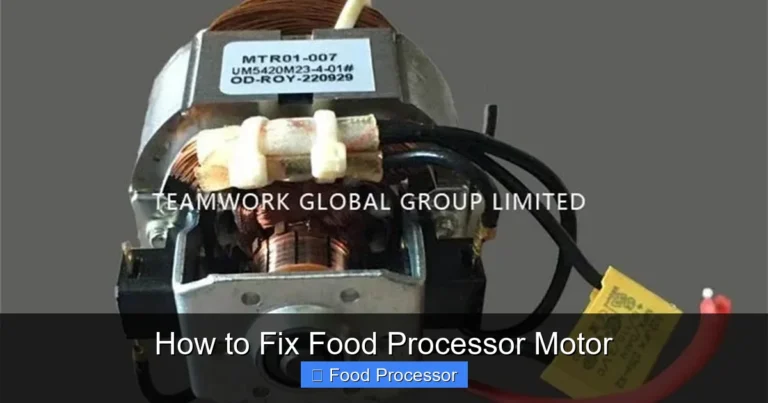
- ✦ Normal motor sound
A steady motor sound is usually expected during normal operation.
- ✦ Grinding sound
Stop the machine and inspect the attachment and drive area after unplugging it.
- ✦ Strong vibration
Check bowl placement, attachment fit, food balance, and the work surface.
- ✦ Burning odor
Stop using the processor and allow it to cool. Persistent odor needs further inspection.
What to Do About Overheating
If the motor becomes very hot, stop the machine and unplug it. Let it cool fully before another test. If overheating happens during light work or returns quickly after cooling, stop using the processor and seek manufacturer service.
- ✦ Stop the cycle
Do not keep running a hot processor in an attempt to finish the recipe.
- ✦ Reduce strain
Use smaller batches and follow the recommended food types and run times.
Food Processor Leaks, Sticks, or Does Not Process Evenly
Leaks usually come from food or liquid moving past a seal, lid, bowl, or shaft area. Too much liquid can also cause problems when the bowl is filled beyond its safe capacity. Check the maximum liquid level in your manual before processing soups, sauces, or other wet foods.
Uneven chopping is often easier to fix than a mechanical fault. Food size, batch size, pulse length, and the way food sits in the bowl all affect the result. Pulse in short bursts instead of holding the button for too long when you want a more even chop.
A bowl or lid that does not seat correctly can also cause poor results. Clean dried food from the locking areas and inspect the plastic parts for cracks or warping.
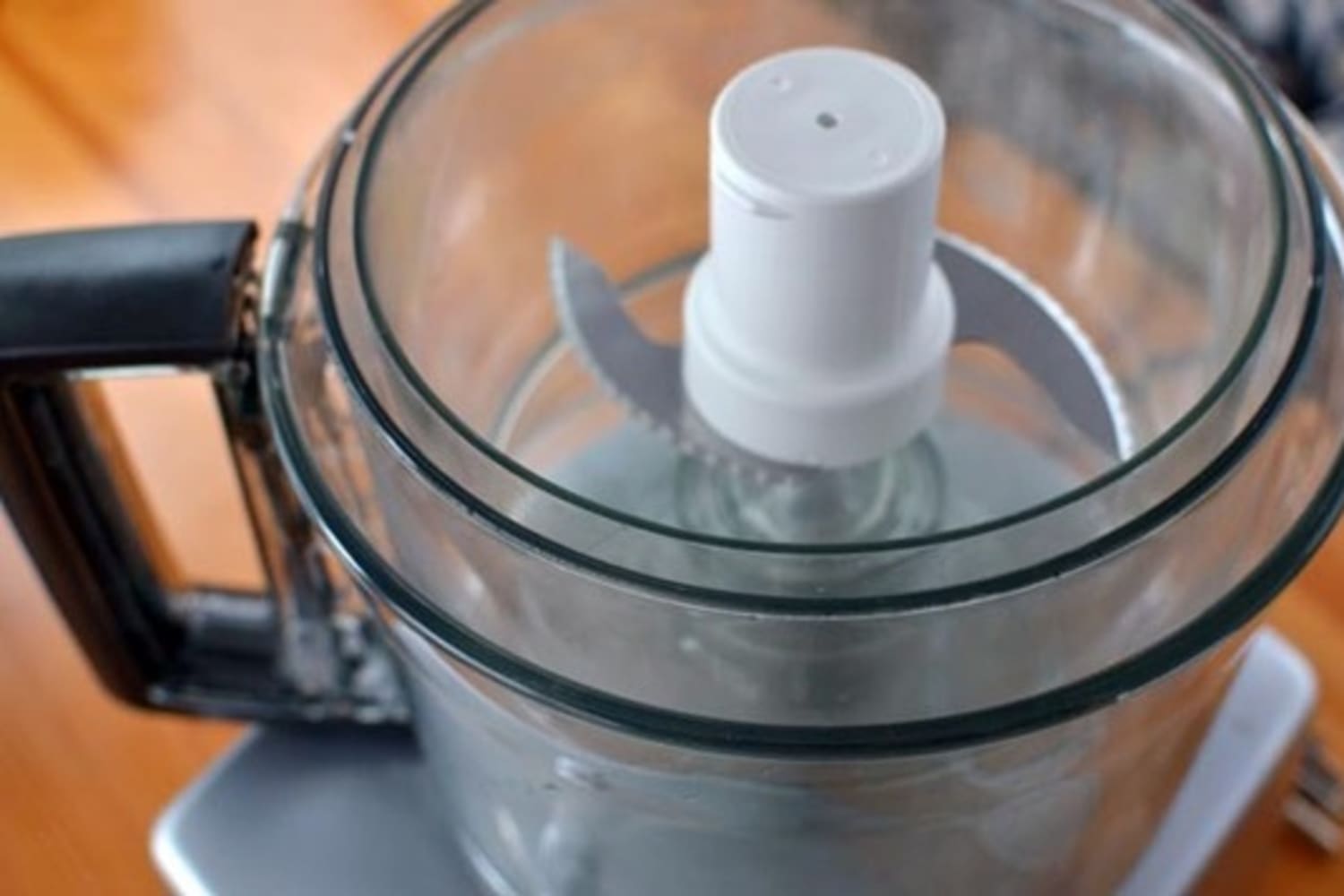
- ✦ Too much liquid
Reduce the liquid or batch size if the mixture reaches above the model’s recommended level.
- ✦ Uneven pieces
Cut large ingredients into similar pieces before processing.
- ✦ Poor pulse control
Use short pulses and pause between them to check the texture.
- ✦ Dirty locking areas
Clean food residue from the bowl and lid areas after unplugging the machine.
How to Improve Chopping Results
Place food in a balanced batch and avoid packing it tightly. Start with a few short pulses, then check the texture. If the bottom becomes fine while the top stays large, stop and redistribute the food before continuing.
- ✦ Use short pulses
Pulsing gives you better control over texture and can reduce overprocessing.
- ✦ Redistribute food
Stop and move food around when pieces collect in one area of the bowl.
Cleaning and Maintenance That Prevents Future Problems
Good maintenance is part of food processor troubleshooting because many small faults begin with food residue, poor storage, or incorrect assembly. Clean the bowl, lid, blade, and other removable parts according to the manufacturer’s instructions. Dry parts well before storage.
Do not put the motor base in water. Wipe the base with a suitable damp cloth and keep liquid away from electrical parts. Always follow the care rules for your specific model, since dishwasher guidance can differ between parts and brands.
Store blades and discs where they cannot get knocked around or exposed to moisture. Sharp attachments can damage other items and can become unsafe if bent or chipped. Replace damaged parts with compatible parts made for the exact model.
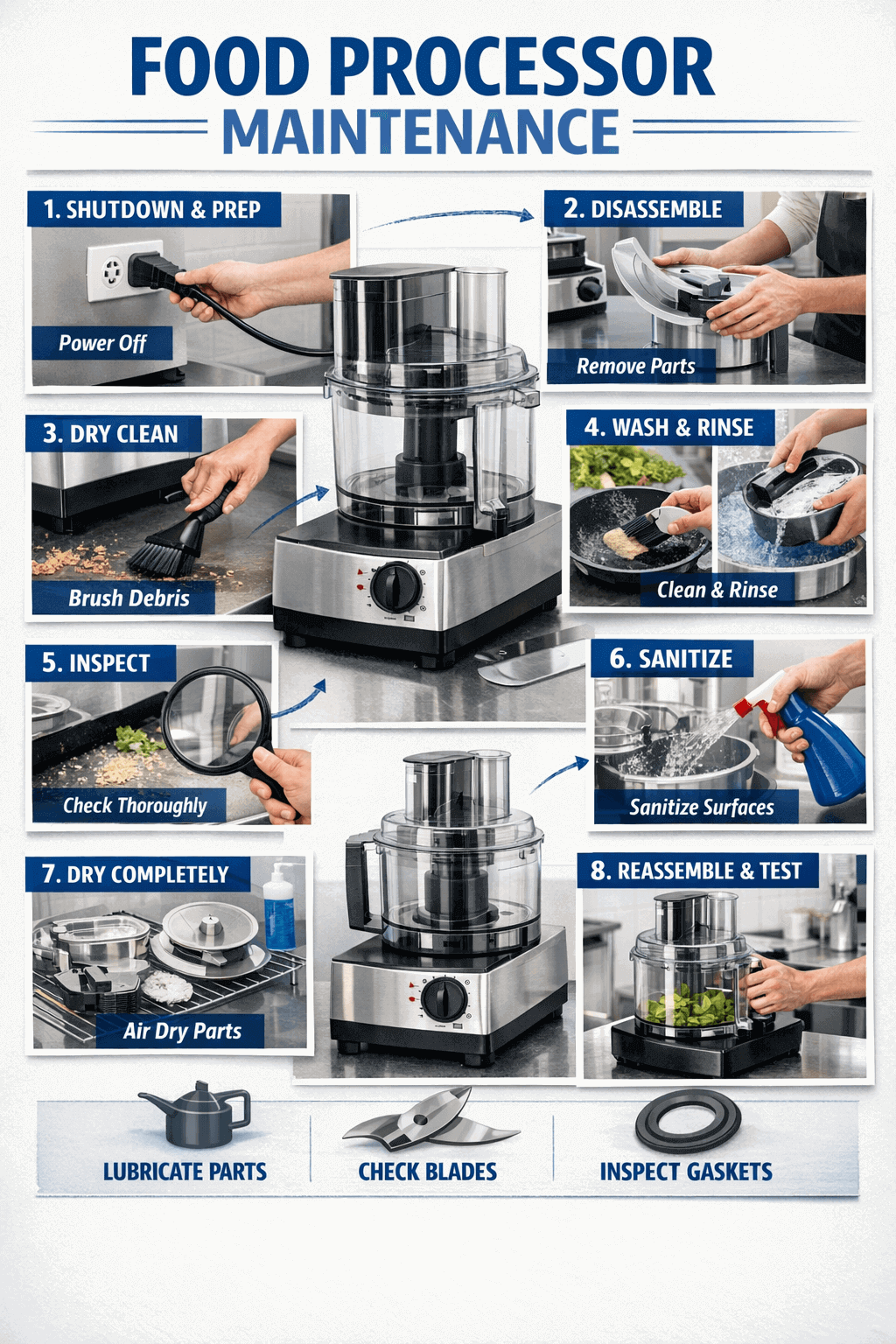
- ✦ Clean after use
Remove food residue before it dries around the bowl, lid, blade, or drive area.
- ✦ Dry removable parts
Dry parts well before storage to reduce moisture buildup.
- ✦ Protect the motor base
Keep water away from the motor housing and electrical areas.
- ✦ Inspect attachments
Check blades, discs, bowls, lids, and shafts for damage during routine cleaning.
- ✦ Follow the manual
Use the cleaning method and dishwasher guidance listed for your exact model.
When Replacement Makes More Sense Than Repair
A small removable part may be easy to replace when the manufacturer sells the correct part. A damaged bowl, lid, blade, or disc can often be replaced without replacing the whole appliance. Motor and electrical faults are different and may require an authorized repair center.
Before paying for a repair, compare the repair cost with the age and condition of the processor. For an older machine with several worn parts, replacement may be more practical. For a newer or higher-end model, an official repair may make more sense.
- ✦ Replace simple parts
Consider manufacturer-approved replacement parts for damaged removable components.
- ✦ Service electrical faults
Use qualified service for internal wiring, switches, motor, or other electrical problems.