Microwave auto cook lets you cook common dishes reliably with sensor-driven presets.
I have used and tested microwave auto cook systems across multiple brands. This guide explains how microwave auto cook works, when it helps, and how to get the best results. You will find clear tips, real mistakes I made, and practical recipes to try today. Read on to master microwave auto cook with confidence and save time in the kitchen.

What is microwave auto cook?
Microwave auto cook is a set of preset programs that cook food automatically. The microwave uses sensors, weight input, or timed programs to choose power and time. It aims to make cooking consistent and easy for common dishes. Auto cook removes much of the guesswork for everyday meals.

How microwave auto cook works
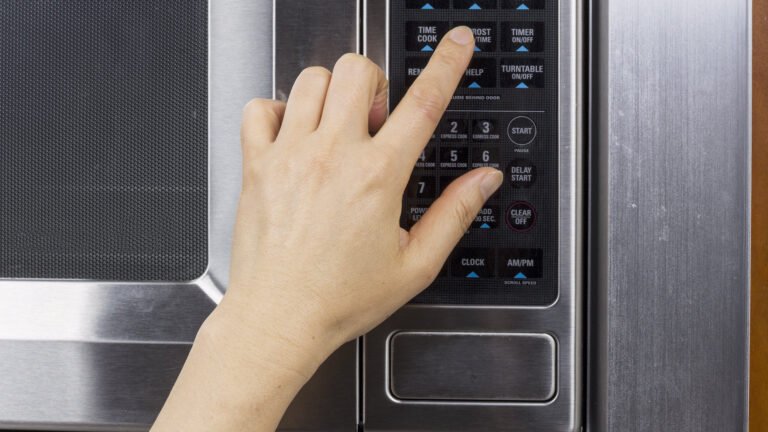
Most microwave auto cook systems use two things: sensors and preset logic. Sensors detect steam, humidity, or temperature as food heats. The control board adjusts power and time based on those readings. Some models ask you to enter weight and then run a tailored cycle. Together, these parts aim to prevent overcooking or undercooking.
Common auto cook modes and presets
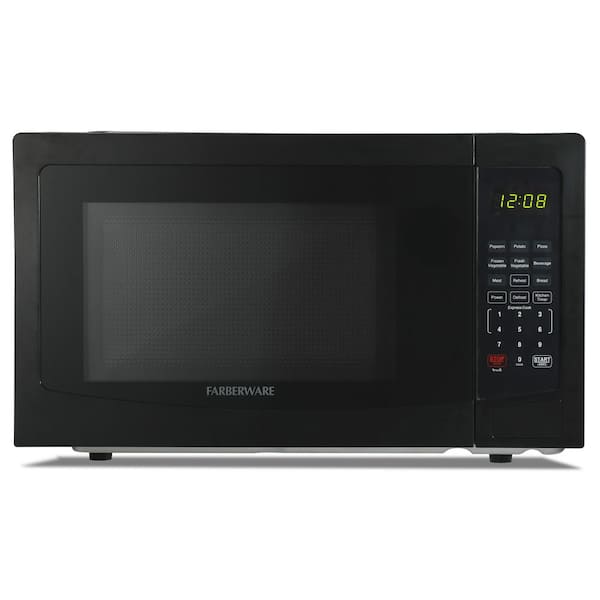
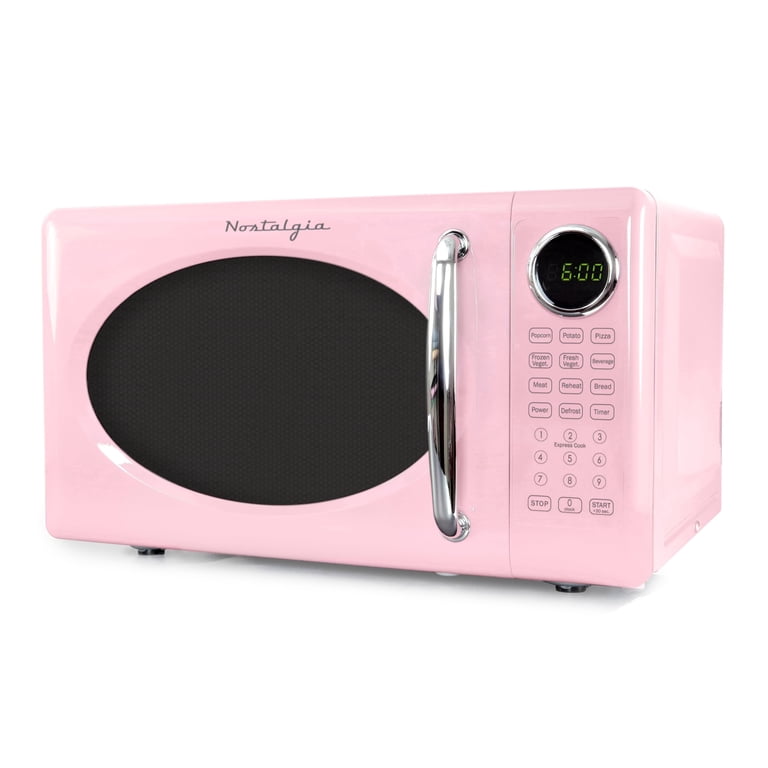
Microwave auto cook offers many ready-made options for fast results. Here are the typical presets you will find:
- Popcorn. A short, high-power cycle tuned for bagged popcorn.
- Potato. A cycle that cooks whole potatoes evenly.
- Rice. Timed or sensor-based rice cooking for soft grains.
- Fish. Low-power, short-time setting to avoid drying fish.
- Vegetables/Steam. Preset cycles that trap steam for tender veg.
- Reheat. Gentle cycles that warm leftovers without drying.
- Defrost. Weight-based thawing to reduce hot spots.
- Beverage. Short bursts to heat drinks safely.
These presets vary by brand and microwave model. Test them once with simple items to learn how your microwave behaves.
Benefits of using microwave auto cook
Auto cook brings several clear benefits for home cooks. It saves time and reduces guesswork for common dishes. It often produces more consistent results than manual timing. It also helps new cooks feel confident when trying tasks like steaming or defrosting.
Using auto cook can cut food waste too. When settings match the food, you avoid overcooking and throwing food away. For busy households, the convenience alone is a strong reason to use these features.
Limitations and safety considerations
Auto cook is helpful, but it has limits you must know. It rarely browns or crisps food like an oven or air fryer. Sensor-based cycles can misread sealed or dry foods and undercook them. Metal, foil, and some containers remain unsafe in a microwave. Always use microwave-safe dishes and check food temperature, especially for meat.
Be cautious with dense or layered dishes. Auto cook may not heat centers properly in thick casseroles. When in doubt, use a food thermometer or finish cooking on a stovetop or oven.

Tips, best practices, and real-world experience
I learned a few lessons after testing many microwave auto cook cycles. First, always read your manual to learn what each preset expects. Second, test presets with simple items before using them for guests. Third, stir or rotate food if the manual suggests it.
Practical tips I use daily:
- Use flat, shallow containers to promote even heating.
- Cover foods with a vented lid or microwave-safe wrap to trap steam.
- For frozen items, let them sit a minute after auto cook to finish heating.
- If a preset seems off, reduce time and check; you can always add more.
These small habits keep microwave auto cook reliable in real life.
Example recipes and timings using microwave auto cook
Here are quick examples that work well with microwave auto cook. Times are approximate and depend on your unit.
-
Rice (sensor or weight mode)
- Rinse rice. Add water per package. Use rice preset or enter weight. Let rest 5 minutes after cycle.
-
Baked potato (potato preset)
- Poke skin. Use potato preset for medium potato. Turn at half time if prompted. Let sit 2–3 minutes.
-
Steamed fish (fish/steam preset)
- Place fish in a shallow dish with a splash of water or lemon. Use fish or steam preset. Check doneness at end and add 30 seconds if needed.
-
Oatmeal (beverage/reheat preset)
- Combine oats and water or milk. Use reheat or low-power cycle. Stir once mid-cycle to avoid boil-over.
These examples show how microwave auto cook speeds prep. Adjust based on portion size and microwave power.
Choosing the right microwave with auto cook
When shopping, focus on features that improve auto cook performance. Look for sensor cook and multiple preset programs. Inverter technology can give steadier power and better results. Other helpful features include capacity size, easy-to-clean interiors, and clear manuals.
Consider brand support and firmware updates for smart models. A model with simple, labeled presets reduces the learning curve. If you cook meals often, pay extra for reliable sensor-driven auto cook.
Troubleshooting common auto cook issues
If auto cook results seem off, try these fixes. Calibrate expectations: your microwave wattage affects times. If food is uneven, use a turntable or rearrange items. If sensors seem to stop working, clean steam vents and sensor areas carefully.
Other fixes:
- Food too soggy: try shorter time or vent the cover.
- Food still cold: add short increments until done and record the new time.
- Burnt edges: move food to a lower power or a gentler preset.
Most problems are simple to solve with small tweaks and tests.
Frequently Asked Questions of microwave auto cook
What exactly does microwave auto cook do?
Microwave auto cook uses presets or sensors to choose power and time for common foods. It automates heating to reduce guesswork and improve consistency.
Is microwave auto cook safe for all foods?
Auto cook is safe for most foods when you use microwave-safe containers and follow instructions. Avoid metal and sealed containers to prevent sparks and pressure buildup.
Will microwave auto cook save me time and energy?
Yes, it often saves time by removing manual timing and reduces extra cooking steps. Energy savings are modest but real because cycles stop automatically when food is done.
Why did my microwave auto cook leave cold spots?
Cold spots happen when food is too dense, stacked, or in uneven shapes. Use shallower dishes, stir mid-cycle, or add short extra intervals to fix this.
Can microwave auto cook replace an oven?
No. Microwave auto cook is great for quick reheating and some dishes. It cannot brown or crisp like an oven or replace all oven functions.
How often should I clean sensor areas for auto cook?
Clean sensor areas and vents whenever you notice steam buildup or residue. A quick wipe every week prevents misreads and keeps auto cook accurate.
Conclusion
Microwave auto cook can simplify daily meals and cut kitchen stress. Use presets, test them once, and follow simple safety tips to get consistent results. Start small with rice or a baked potato, learn your microwave’s patterns, and slowly expand to more dishes. Try the tips and recipes here, then share your wins or ask questions to keep improving. If this guide helped, subscribe or leave a comment with your favorite auto cook trick.