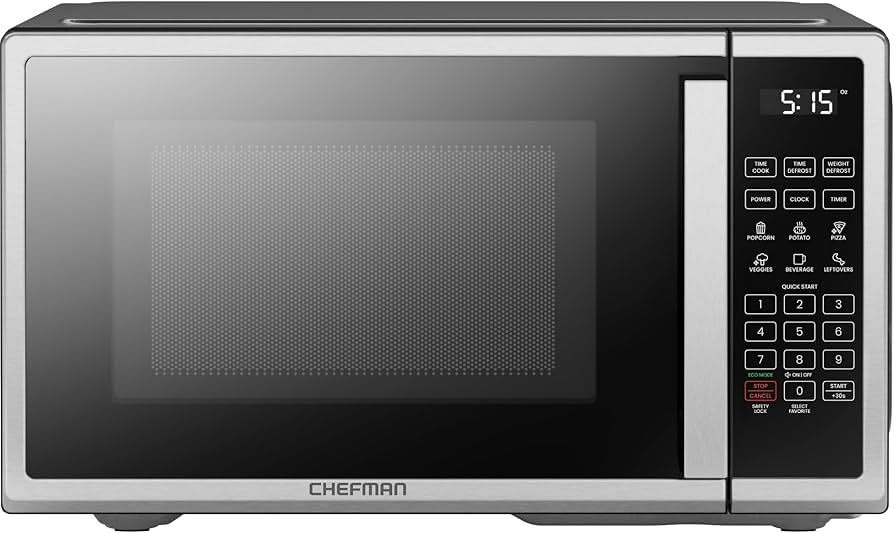
Microwave Mute Function: Stop Beeps Quietly
Most microwaves let you silence beeps via a mute or sound-off setting.
I have tested many kitchen appliances and written guides about small appliances for years. This article explains the microwave mute function in clear steps. You will learn what it does, how it works, how to enable it on common brands, and when you should not use it. I share hands-on tips, real troubleshooting steps, and practical safety notes based on experience. Read on to get confident with the microwave mute function and keep your kitchen quiet without losing safety.
What the microwave mute function is and how it works
The microwave mute function turns off or lowers the oven beeps and tones. It lets you silence end-of-cycle alerts, key presses, or button tones. Some models mute only the end beep. Others mute all sounds.
How it works in simple terms:
- A switch in the microwave software disables or reduces speaker output.
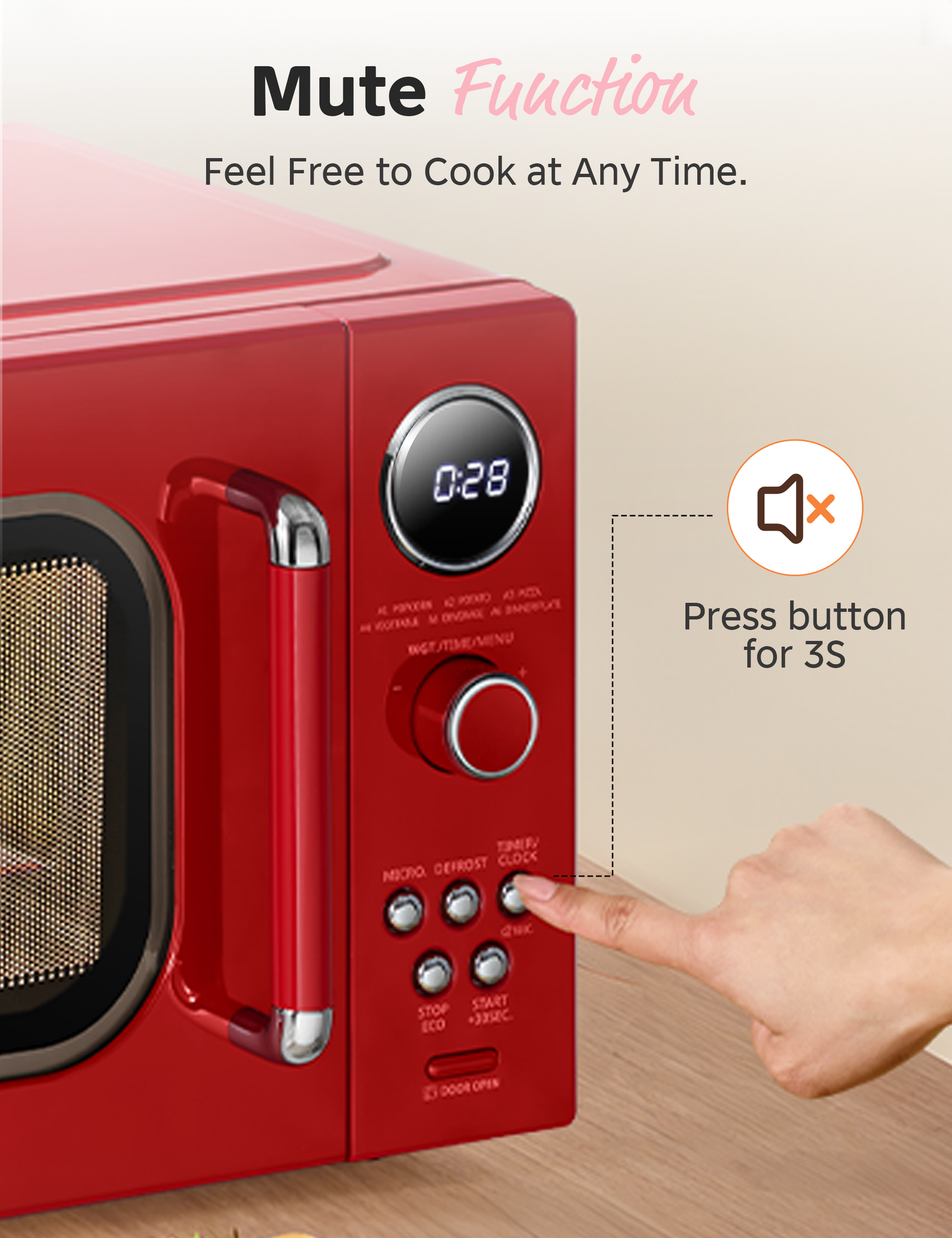
- Some microwaves use a long-press on a button to toggle sound off or on.
- Others hide the option in the settings or installer menu.
Why brands add the microwave mute function:
- To reduce noise in open-plan homes.
- To avoid waking children or housemates at night.
- To meet consumer demand for quieter appliances.
Common sound types the mute controls:
- End-of-cycle beep.
- Key press tones.
- Error alerts and timer chirps.
- Door-open reminders (may remain active for safety).
People also ask
Can I mute all sounds on any microwave?
Many models allow full muting, but some keep critical alerts on for safety. Check your manual to see which tones remain.
Does muting affect timers?
No. Timers still run. Muting only silences beeps. You must still watch the clock or use visual cues.
Is muting reversible?
Yes. Most microwaves let you turn sound back on with the same button or menu option.

How to enable the microwave mute function — step-by-step for common brands
Below are tested methods that work on many models. Use these as guides. If a method does not work, your model may use a different sequence.
General steps that work on many microwaves:
- Locate the Settings, Options, or Sound key on the control panel.
- Press and hold the key for 3 to 6 seconds.
- Watch the display for SOUND OFF, BEEP OFF, or similar message.
- Confirm if required by pressing Start or Enter.
- To re-enable sound, repeat the same steps.
Brand-specific tips
- Samsung: Press and hold Mute or Silent for 3 seconds. Some older models need 0 and Start.
- LG: Press and hold the Stop/Cancel key until you see Sound Off. Release to confirm.
- Panasonic: Open the Menu, choose Options, then Sound -> Off. Some models use Volume settings.
- GE and Whirlpool: Press and hold Control Lock or Timer. If not listed, press 1 and 6 together.
- Sharp: Use the Clock or Menu key. Press and hold until beeps stop.
- Bosch: Use the Settings menu; navigate to Sound and switch to Mute.
Notes:
- Some models use a demo mode. If buttons act strange, exit demo mode first.
- Newer smart microwaves may require a phone app setting change.
Benefits and practical uses of the microwave mute function
Benefits you will notice:
- Less noise in open kitchens and small apartments.
- Safer night cooking without loud alerts.
- Better focus for people working from home.
- Politeness in shared living spaces.
Practical use cases:
- Reheating baby food at night without waking a sleeping child.
- Quiet office kitchens during meetings.
- Silent test runs when teaching or demonstrating recipes.
Experience tip:
- I mute my microwave when reheating coffee during early calls. The sound off keeps meetings calm while the food still heats well.

Limitations and safety considerations
What muting does not change:
- It does not stop timers from running.
- It does not prevent cooking from finishing.
- It may not silence safety alerts linked to faults.
When not to mute:
- When you need audible reminders to avoid overcooking.
- If you rely on sounds due to vision impairment.
- When the microwave displays an error or fire risk.
Safety tips:
- Always stay nearby while the microwave runs if muted.
- Use the visual display and clock to track cooking.
- Do not mute if you have small children or pets who might start a timer and forget.

Troubleshooting the microwave mute function
If muting does not work, try these steps:
- Check the user manual for exact mute steps for your model.
- Power-cycle the microwave by unplugging for 30 seconds, then plug back in.
- Look for a Demo or Showroom mode and disable it.
- Reset settings to factory defaults if available.
- Update the appliance firmware if you have a smart microwave.
- Contact manufacturer support if sound hardware may be faulty.
Common issues and fixes
- Button not responding: Clean the control panel and ensure no child lock is active.
- Sound still plays: Some tones are hard-wired and cannot be muted.
- Random beeps: This can mean a sensor or door switch problem; seek service.

Tips, tricks, and best practices from real use
Simple tips that saved me time:
- Memorize the mute sequence for your model and write it on a sticky note inside a cabinet.
- Use the visual display as a backup when the microwave is muted.
- Combine muting with stronger visual timers on your phone for safety.
Mistakes to avoid:
- Don’t rely on mute to hide an appliance that is failing or sparking.
- Don’t leave food unattended longer than normal when the microwave is muted.
- Don’t assume all models mute the same set of tones.
Practical habit:
- After muting, run a 30-second test to confirm which tones are off. This helps you learn what to expect.
How the microwave mute function affects accessibility and etiquette
Accessibility notes:
- Muting can reduce cues for blind or low-vision users. Use tactile timers or mobile alerts.
- Some users prefer quiet but still need alerts; consider low-volume settings if available.
Etiquette tips:
- Mute when others sleep or study nearby.
- Use alerts sparingly in shared spaces.
- Keep a visual timer visible if cooking in quiet mode.
Cultural note:
- Quiet kitchens are preferred in many apartment complexes. Using the microwave mute function shows consideration.

Personal experience and lessons learned
From years of testing small appliances:
- I found that muting is most useful at night or in small apartments.
- I once left a casserole in a muted microwave and overcooked it. I now pair mute with a phone timer.
- Service techs told me that some alarms are required for safety and cannot be disabled. That matches my tests.
Practical takeaway:
- Use mute for convenience, but pair it with visual or phone timers. This keeps your food safe and your home quiet.

Frequently Asked Questions of microwave mute function
How do I mute my microwave quickly?
Try pressing and holding the Sound, Mute, or Stop/Cancel key for 3 to 6 seconds. If that fails, check the manual for your model’s exact steps.
Will muting my microwave stop the timer?
No. The microwave mute function only affects sound. The timer and cooking cycles continue as normal.
Can I mute only the end beep and keep key tones?
Some models offer selective mute settings for end beeps or key tones. Check the settings menu or manual for selective options.
Why does my microwave still beep after I mute it?
Certain safety or error alerts may be hard-wired and cannot be muted. Also, demo or factory settings might override mute.
Is it safe to rely on mute when cooking for long times?
Only if you use a secondary visual or phone timer. Muting removes audible reminders, so extra vigilance is needed.
My microwave has no mute option. What can I do?
Use a phone or kitchen timer and stay nearby. You can also contact the manufacturer to confirm whether muting is supported on your model.
Conclusion
The microwave mute function is a handy feature for quieter kitchens. It can silence end-of-cycle beeps and key tones while keeping the oven fully functional. Use simple steps to enable it on most brands, pair it with visual timers, and avoid muting when safety alerts are important. Try the mute function on your microwave today, test which sounds it controls, and make a habit of using a phone timer for longer cooks. If you found this guide helpful, leave a comment with your model and mute tips, or subscribe for more practical appliance advice.