Microwave Touch Controls: Master Use And Troubleshooting
Microwave touch controls let you set time, power, and presets quickly with a tap.
I have worked with kitchen tech and tested dozens of ovens, so I know how microwave touch controls shape daily cooking. This article explains what microwave touch controls are, how they work, their pros and cons, common problems, and practical tips you can use today. You will get clear steps for troubleshooting, buying, and caring for touch control panels. Read on to learn smart ways to use microwave touch controls and avoid costly mistakes.
What are microwave touch controls?
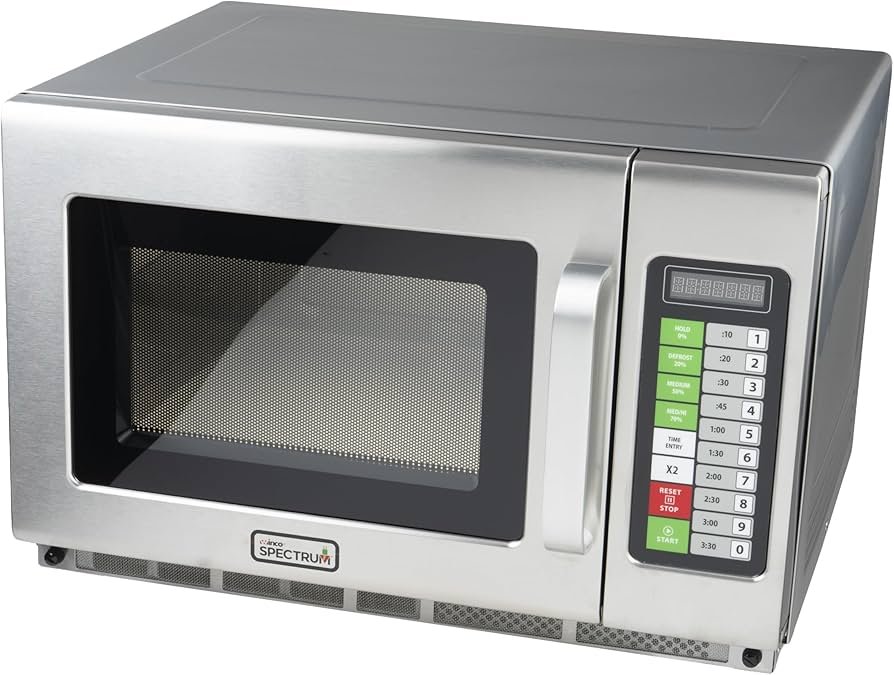
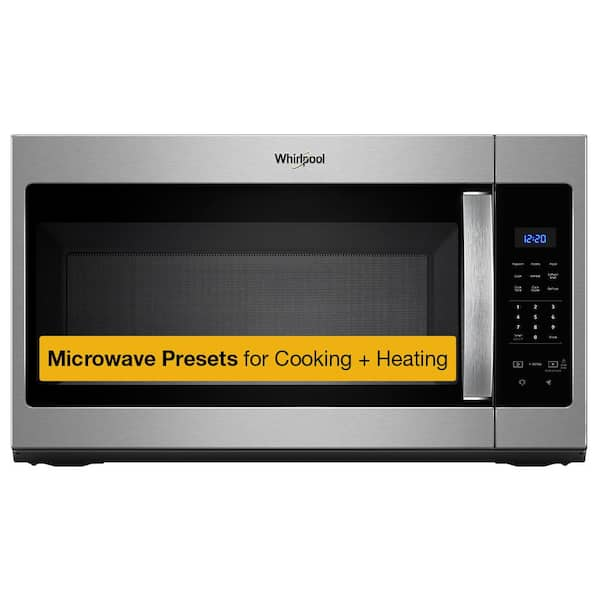
Microwave touch controls are flat panels used to operate a microwave without physical buttons. They register a finger tap or press and send commands to the microwave’s circuit board. Most modern microwaves use capacitive or membrane touch systems. These panels replace knobs and mechanical switches for a cleaner look and easier cleaning.
Microwave touch controls often include timers, presets, defrost modes, and child locks. They can be simple or part of a smart system that links to an app. The key benefit is the mix of speed and precision when setting time and power.

How microwave touch controls work
Most microwave touch controls use one of two sensor types. Capacitive sensors detect the change in electrical charge when you touch the glass or plastic surface. Membrane or resistive sensors work by pressing two layers together to close a circuit. A small microcontroller reads the sensor and runs the control logic. Firmware maps each touch to a function like start, stop, or add time.
The panel usually sits over a printed circuit board with a conductive pattern. When you touch a control, the controller reads a change and triggers the function. Some systems include simple LEDs or icons to guide the user. In smart models, the controller also talks to Wi‑Fi modules or Bluetooth for remote control.

Benefits of microwave touch controls
These benefits make touch panels popular in kitchens.
- Cleaner surface and easier to wipe than buttons.
- Sleeker look that fits modern kitchens and built‑in microwaves.
- Faster input for presets and multi-step cooking.
- Fewer moving parts mean less mechanical wear.
- Often include advanced features like sensor cooking and app links.
Touch panels can store custom presets. That saves time for family meals or repeated tasks. For people with limited dexterity, a flat surface can be simpler to use than tiny buttons.

Limitations and common issues
No system is perfect. Be aware of these limitations.
- Unresponsive when wet or if the surface is greasy.
- False touches from pets, kids, or accidental brushes.
- Repairs can be more expensive than replacing single mechanical switches.
- Some users prefer tactile feedback from buttons.
Touch panels sometimes drift and need recalibration. Older panels may degrade and show dead zones where touch no longer registers. If you cook with wet hands often, a touch panel might feel less reliable than physical buttons.

Troubleshooting microwave touch controls
Start with simple checks. Most problems are easy to fix.
- Clean the panel with a soft, damp cloth and mild soap.
- Remove power for one minute to reset the controller.
- Check for error codes in the user manual and follow steps to clear them.
- Ensure the keypad area is completely dry before testing again.
If some zones never respond, the conductive layer or ribbon cable may be loose. For intermittent faults, firmware resets can help. If the panel is cracked or the conductive traces are damaged, professional repair or replacement may be needed. Always unplug the microwave before opening any cover.
Maintenance and cleaning tips
Good care keeps microwave touch controls working for years.
- Wipe daily with a soft cloth and mild cleaner.
- Avoid abrasive pads or harsh solvents that can remove markings.
- Do not spray cleaner directly; dampen the cloth first.
- Dry the surface completely to avoid false touches.
If grease builds up, use a diluted vinegar solution and a soft cloth. For stubborn marks, a small amount of isopropyl alcohol on a cloth can help, but test a corner first. Regular cleaning prevents sensor drift and extends panel life.
Buying guide: what to look for
Choose a microwave with touch controls that match your needs.
- Look for capacitive sensors for smooth and reliable response.
- Choose models with clear icons and backlit displays for low light.
- Check for physical menu options if you want tactile feedback.
- Consider warranty length and repair policies for electronic components.
If you cook often, pick a model with presets and sensor cook modes. For families, child lock and large, readable displays are important. Read user reviews to learn about long‑term reliability.
Personal experience and practical tips
I tested several microwaves with touch panels over years in real kitchens. My top tip is to clean the panel each week. I once delayed cleaning and the panel developed dead spots on the most used keys. A quick reset and a gentle clean fixed it, but I learned to clean frequently after that.
Another tip is to register custom presets if your microwave supports them. I set one preset for reheating my coffee and another for steamable vegetables. Those two presets save me time and reduce wear on commonly used keys. If you have kids, enable the child lock to avoid accidental starts.
Smart integration and future trends
Touch controls are merging with smart home tech. New microwaves link touch panels to apps and voice assistants. This lets you start or check a cook remotely. Future panels may use haptic feedback to mimic button clicks. Improved materials and designs aim to reduce fingerprints and ghost touches.
Expect tighter integration with recipe apps and kitchen systems. Smart touch controls will add updates via firmware to expand features. For now, choose a model with a solid update policy if smart features matter to you.
Frequently Asked Questions of microwave touch controls
How do I reset frozen microwave touch controls?
Unplug the microwave for one to two minutes, then plug it back in. This power cycle often clears temporary glitches and restores normal function.
Why is my microwave touchscreen not responding to touch?
Grease, moisture, or a damaged surface can block touch signals. Clean and dry the panel, then test again. If the issue persists, a ribbon cable or sensor may be faulty.
Can I repair a cracked touch panel myself?
Replacing a cracked panel often needs technical skill and the correct parts. For safety and to avoid further damage, professional repair is recommended unless you have experience.
Do touch controls use more power than mechanical buttons?
No. Touch controls draw minimal power and only use more energy during Wi‑Fi or smart features. For basic operation, power use is similar to mechanical systems.
Are touch controls safe around children and pets?
Most touch controls have locks and safety features. Enable the child lock to prevent accidental starts. Avoid placing the microwave where pets can jump on the control panel.
How long do microwave touch controls typically last?
With regular care, touch panels can last many years—often as long as the microwave itself. Cleaning and avoiding impact extend lifespan.
Will firmware updates improve touch control performance?
Yes. Firmware fixes can improve responsiveness and add features. Check the manufacturer’s guidance for update availability and process.
Conclusion
Microwave touch controls offer a clean, modern way to run your microwave. They provide speed, presets, and a sleek look but need gentle care and occasional resets. Use regular cleaning, back up important presets, and choose models with good warranties for long life. Try the tips here the next time your microwave acts up or when you shop for a new one. If this helped, leave a comment or subscribe for more kitchen tech tips.