Capacity & Selection: How to Choose the Right Capacity for Your Needs
Capacity & Selection is a key part of planning any system, process, workspace, or piece of equipment. The goal is simple: have enough capacity to meet demand without paying for capacity you rarely use. This applies to a small U.S. home, a restaurant, a warehouse, a factory, an office, or a large service business.
A common mistake is to choose capacity based only on the biggest number shown by a seller. That number may describe an ideal condition rather than normal use. A better Capacity & Selection process looks at real demand, peak demand, operating time, available space, maintenance, cost, and expected growth.
Good selection also leaves some room for change. Demand can rise during holidays, promotions, busy seasons, or business growth. The best choice is often not the smallest option or the largest option. It is the option that fits the job well and remains practical over time.
What Does Capacity & Selection Mean?
Capacity is the amount of work, output, storage, people, material, or service that a system can handle over a given period. Selection is the process of choosing the option that provides the needed capacity. Together, Capacity & Selection help match resources with actual needs.
For example, a business may need to process 500 orders each day. A system that can handle 500 orders may look perfect on paper. But if orders arrive in short bursts, the business may need more capacity to prevent delays during busy hours.
Capacity can also mean physical size. A storage bin, refrigerator, food processor, vehicle, air conditioner, or commercial machine all have capacity limits. In each case, the right choice depends on how the item will be used.
- ✦ Capacity
The maximum amount a resource, system, or process can handle under defined conditions.
- ✦ Demand
The amount of work, space, output, or service users need.
- ✦ Selection
The process of choosing a suitable option after comparing needs, limits, cost, and future use.
- ✦ Utilization
The share of available capacity that is actually being used.
Why Capacity Is Not the Same as Actual Output
A stated capacity is often a limit, not a promise of constant output. Real output can fall because of setup time, cleaning, maintenance, breaks, supply delays, staff limits, or changes in demand.
This is why Capacity & Selection should use realistic operating conditions. A system that looks large enough in a product sheet may be too small in daily use.
- ✦ Rated capacity
The amount a system is designed or rated to handle under stated conditions.
- ✦ Effective capacity
The amount that can usually be handled after normal downtime, limits, and operating conditions are considered.
How to Determine the Capacity You Need
Start with demand. Write down how much work or use you expect in a normal period. Then check the busiest period. This gives you a much better base for Capacity & Selection than guessing from the average alone.
For a business, review daily, weekly, and seasonal demand. For a household product, think about the number of people using it, the size of typical tasks, and how often those tasks occur. The same basic method works in both cases.
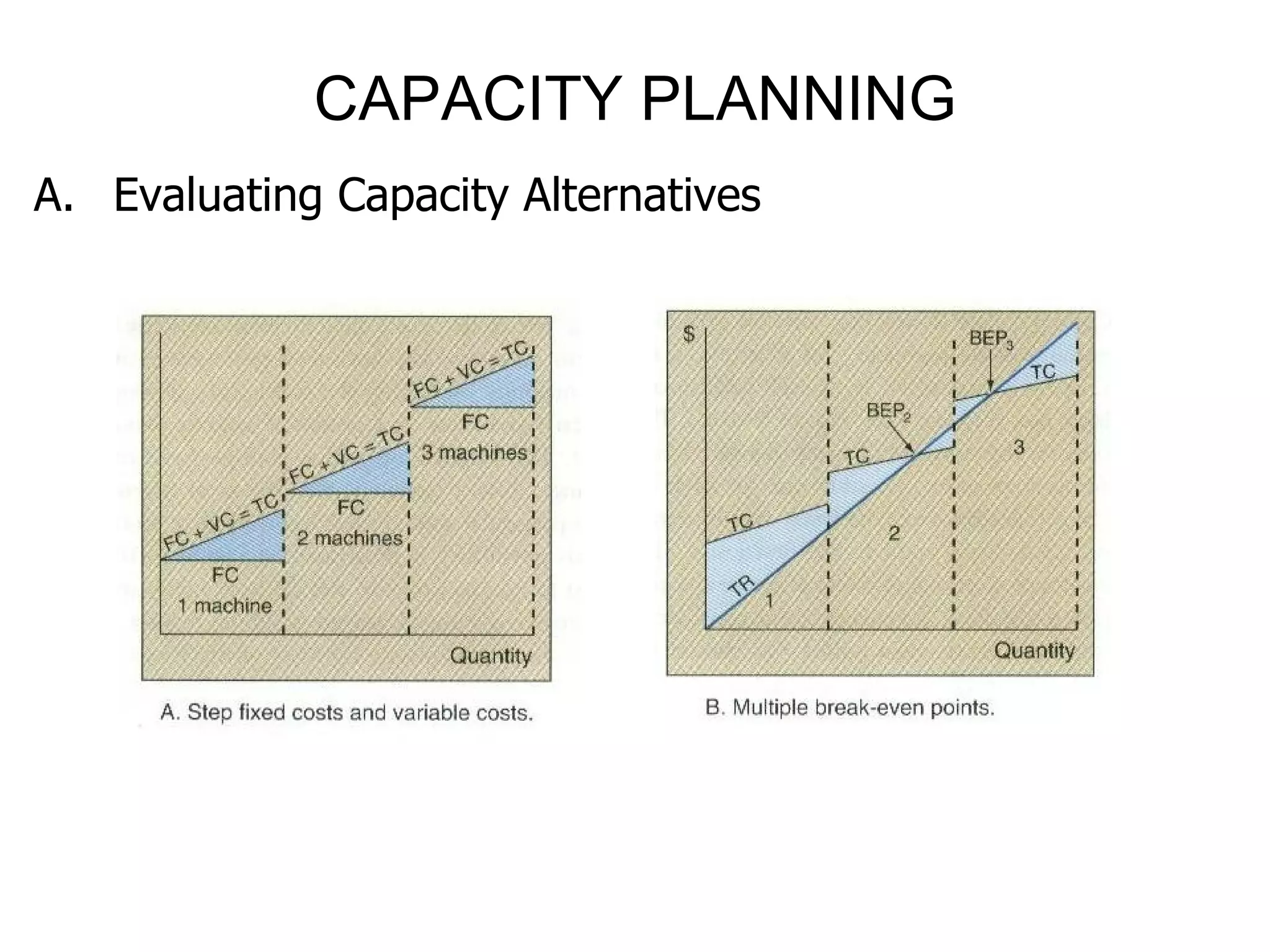
A simple starting formula is: required capacity equals expected demand plus a practical buffer for variation and growth. The buffer should fit the situation. A stable task may need little extra room, while a highly variable operation may need more.
- ✦ Measure normal demand
Find the amount of work or use during a typical period.
- ✦ Measure peak demand
Identify the busiest hours, days, months, or seasons.
- ✦ Check operating time
Account for hours available, downtime, setup, cleaning, maintenance, and other limits.
- ✦ Add a sensible buffer
Leave enough room for normal changes without creating a large amount of unused capacity.
- ✦ Plan for growth
Consider whether demand may rise over the expected life of the system or equipment.
Use Peak Demand, Not Only Average Demand
Average demand can hide short periods of heavy use. Imagine a business that handles 100 orders on a quiet day and 400 orders during a promotion. A system sized around the average may struggle when demand jumps.
Peak demand does not always mean you must buy enough capacity for the absolute highest event. You can also use extra shifts, temporary resources, scheduling, outsourcing, or other methods. Capacity & Selection should compare these choices instead of assuming that more equipment is always the answer.
- ✦ Daily peak
The busiest part of a normal day.
- ✦ Seasonal peak
A predictable period when demand rises for weeks or months.
- ✦ Event peak
A short and unusual demand spike caused by a special event, sale, or project.
Key Factors That Affect Capacity & Selection
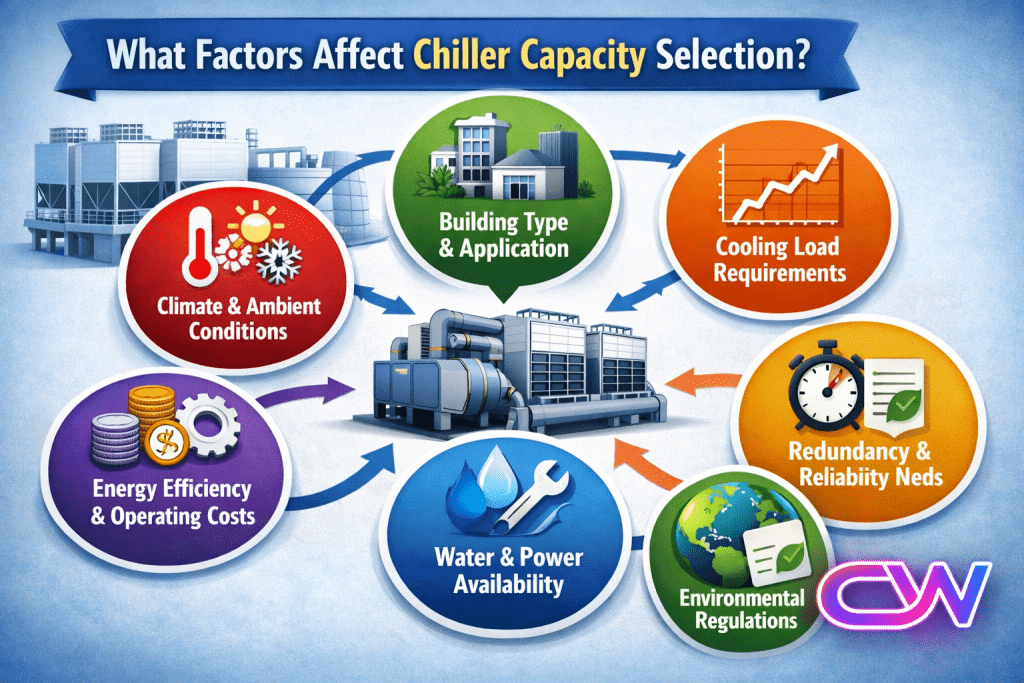
Many factors can change the right capacity choice. Demand is only one part of the decision. Space, power, labor, budget, maintenance, process design, and future needs can all affect the final choice.
The most useful approach is to look at these factors together. A larger option may offer more output but also require more floor space, energy, staff, or maintenance. A smaller option may cost less but create limits during busy periods.
For U.S. consumers and businesses, total ownership cost also matters. Purchase price is only the first cost. Installation, utilities, repairs, replacement parts, labor, and operating time can make a lower-priced option more expensive over its useful life.

- ✦ Demand level
Higher and more variable demand usually calls for more capacity or a flexible way to add capacity.
- ✦ Available space
The selected option must fit the available room and still allow safe access, service, and movement.
- ✦ Budget
The purchase cost should fit the budget without ignoring long-term operating costs.
- ✦ Labor
Some capacity choices require more people, training, or specialized skills.
- ✦ Energy use
Equipment with greater capacity may also require more power or other operating resources.
- ✦ Maintenance
Service needs, cleaning, parts, downtime, and repair access can affect the practical value of a capacity choice.
Physical Space and Layout
Capacity selection should include the space around the equipment or resource. A machine may fit on paper but still be hard to operate if there is not enough room for loading, unloading, cleaning, or service.
In a warehouse or production area, layout can also affect how much capacity is truly useful. Poor placement may create extra travel, handling time, or safety problems.
- ✦ Measure before buying
Check width, depth, height, access paths, doors, and service clearance.
- ✦ Think beyond the footprint
Include space for people, materials, movement, cleaning, and maintenance.
Capacity & Selection: Small, Medium, or Large?
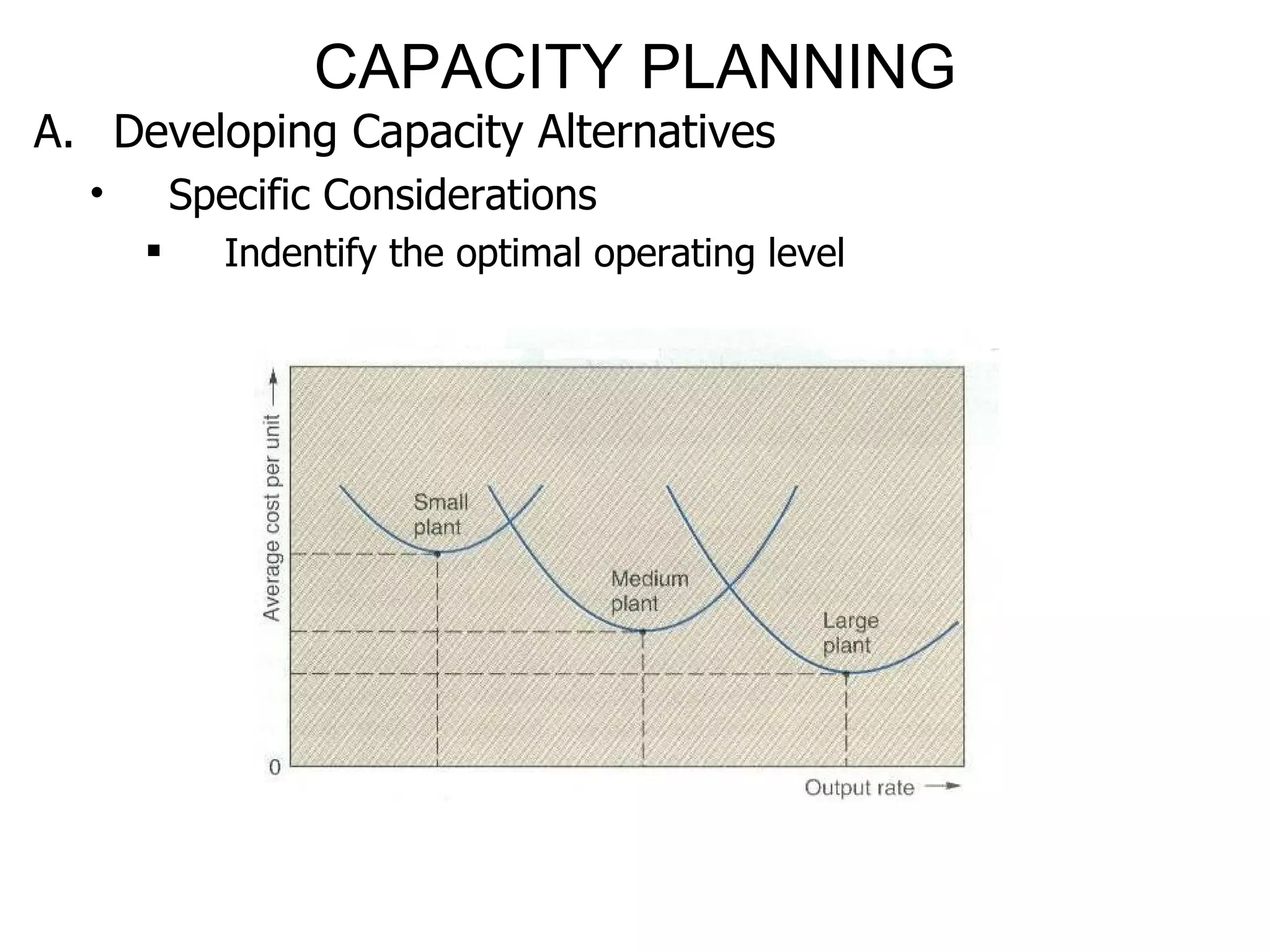
Choosing between small, medium, and large capacity is one of the most common selection decisions. There is no universal size that works for everyone. The right choice depends on how often the resource is used and how much work must be handled at one time.
A small option often works well for light use, limited space, or low demand. A medium option can offer a useful balance for regular household or business use. A large option may make sense when workload is high, tasks are frequent, or future demand is expected to grow.
Do not choose the largest option simply because it offers the highest number. Large capacity can add cost and may be inefficient when most of the space or output is never used. Capacity & Selection works best when size follows the real job.

- ✦ Small capacity
Useful when demand is low, space is limited, and tasks are usually small.
- ✦ Medium capacity
Often fits regular use when demand is steady and flexibility matters.
- ✦ Large capacity
Useful for high workloads, large batches, frequent use, or planned growth.
- ✦ Multiple smaller units
Can sometimes provide more flexibility and backup than one very large unit.
When a Larger Capacity Makes Sense
A larger capacity may be useful when demand is high or when the cost of running out of capacity is serious. It can also reduce the number of batches or cycles needed for some tasks.
Still, the extra capacity should have a clear purpose. If the added size rarely gets used, the higher purchase and operating cost may not provide much value.
- ✦ Frequent large jobs
Large capacity can reduce repeated cycles when large workloads are common.
- ✦ Expected growth
Extra capacity can help avoid a replacement or expansion soon after purchase.
Capacity Utilization and the Cost of Too Much or Too Little
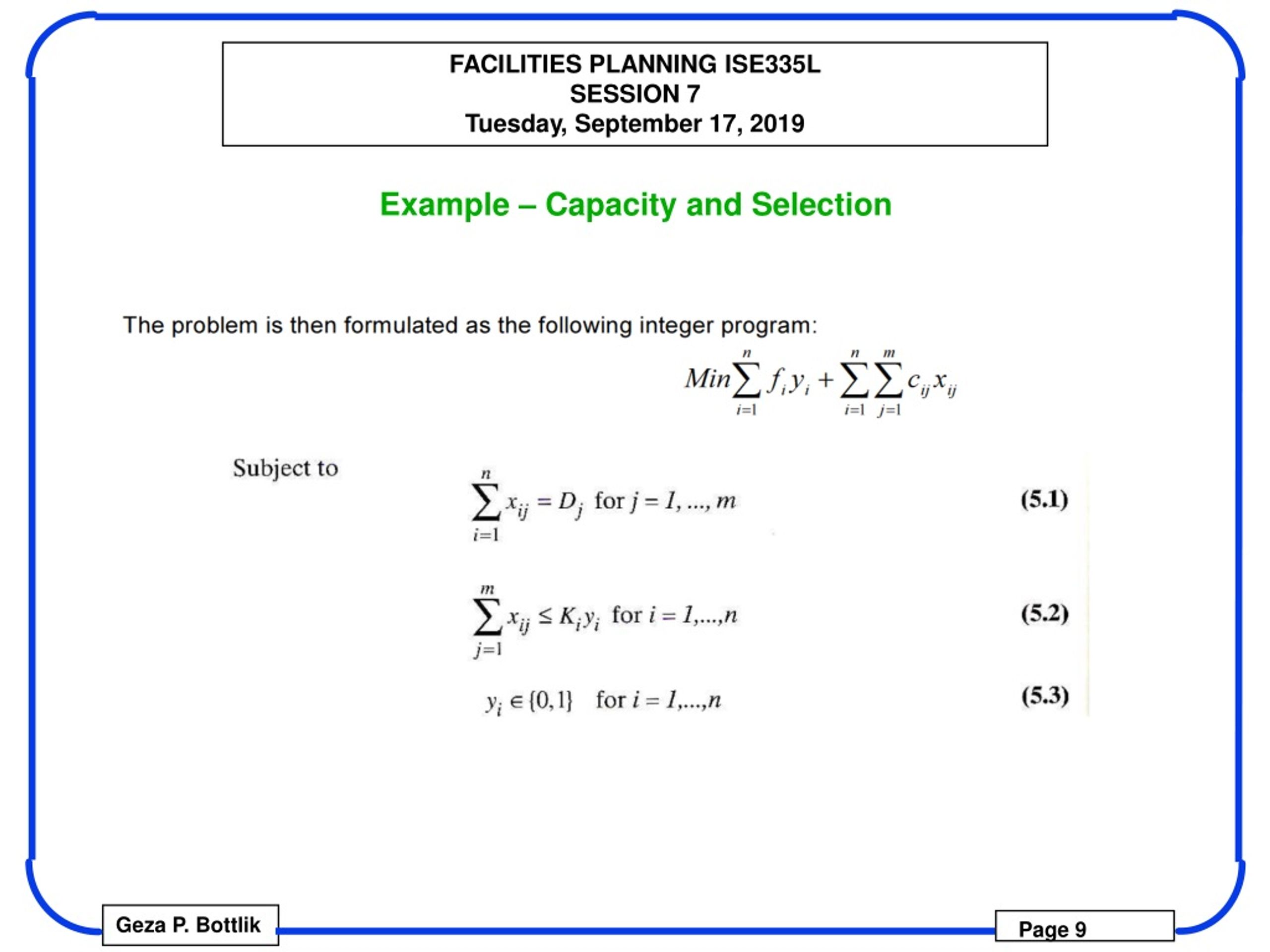
Capacity utilization shows how much of available capacity is being used. If a system has much more capacity than demand, utilization may stay low. If demand is close to the limit for long periods, the system may have little room for delays or unexpected work.
Too little capacity can cause queues, late orders, overtime, poor customer service, and missed sales. It may also place extra stress on equipment and staff. These costs are often harder to see than the purchase price.
Too much capacity has a different problem. Money may be tied up in unused equipment or space, while energy, maintenance, and service costs continue. Good Capacity & Selection aims for a practical balance rather than maximum size.
- ✦ Too little capacity
Can lead to delays, backlogs, overtime, lost sales, and customer frustration.
- ✦ Too much capacity
Can increase purchase, space, energy, maintenance, and staffing costs without enough added value.
- ✦ Balanced capacity
Provides enough room for normal demand and reasonable peaks while keeping unused capacity under control.
Why a Capacity Buffer Matters
A capacity buffer is extra room between normal demand and the practical limit. It helps absorb small changes in demand and unexpected problems.
The right buffer depends on risk. A business with unpredictable demand may need more flexibility than one with stable and easy-to-forecast demand. The buffer should support reliability without becoming expensive unused capacity.
- ✦ Demand uncertainty
More uncertainty can justify more room or flexible backup capacity.
- ✦ Failure risk
Critical operations may need backup resources so one failure does not stop the entire process.
- ✦ Growth risk
Expected growth can make a modest capacity buffer useful.
A Practical Capacity & Selection Process
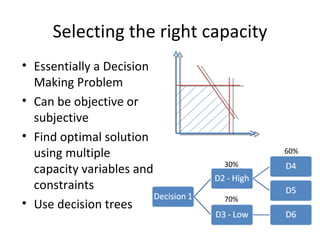
A clear selection process reduces guesswork. Start by defining the job, then measure demand and compare realistic options. Write down the main limits before you compare prices.
It helps to compare at least a few options. Look at capacity, useful output, cost, space, energy use, maintenance, flexibility, and expected life. A simple comparison table can make trade-offs easier to see.
The final choice should also be checked against real operating conditions. If possible, review user feedback, product specifications, service requirements, and actual workflow before committing. Capacity & Selection should end with a choice that works in practice, not just on paper.

- ✦ Step 1: Define the job
State exactly what the resource, system, or equipment must do.
- ✦ Step 2: Measure demand
Estimate normal use and identify peak demand.
- ✦ Step 3: Set limits
Check budget, space, power, labor, time, and other practical limits.
- ✦ Step 4: Compare options
Review capacity, useful output, total cost, flexibility, reliability, and maintenance.
- ✦ Step 5: Test the assumptions
Check whether the numbers match real-world use and not just ideal conditions.
- ✦ Step 6: Choose and review
Select the option that fits the current need and review capacity again as demand changes.
Use Total Cost Instead of Purchase Price Alone
A lower purchase price does not always mean a lower overall cost. Operating expenses can include energy, labor, supplies, repairs, service visits, downtime, and replacement parts.
When comparing Capacity & Selection options, estimate the total cost over the expected useful period. This gives a clearer picture of the real financial trade-off.
- ✦ Initial cost
The price paid to buy and install the option.
- ✦ Operating cost
The ongoing cost of power, supplies, labor, and routine use.
- ✦ Maintenance cost
The cost of service, repairs, parts, and scheduled maintenance.
- ✦ Capacity failure cost
The business or user cost caused by delays, downtime, lost output, or missed demand.
Common Capacity & Selection Mistakes to Avoid
Poor capacity decisions often come from simple mistakes. People may focus on the advertised maximum, ignore peak demand, or buy more capacity because it feels safer. These choices can create costs that last for years.
Another common mistake is failing to review future needs. A capacity choice should match the expected period of use. If demand is changing fast, flexibility may matter more than a small difference in current capacity.
The best Capacity & Selection decisions use clear assumptions. Write down what you expect to use, how often you will use it, and what happens if demand is higher or lower than expected.
- ✦ Choosing by maximum capacity alone
The highest rated capacity may be unnecessary if normal demand is much lower.
- ✦ Ignoring peak demand
Average demand can hide busy periods that cause delays or shortages.
- ✦ Ignoring total cost
A cheap purchase can become expensive when energy, labor, maintenance, and downtime are included.
- ✦ Forgetting space limits
A capacity choice must fit the full operating area, not just the product footprint.
- ✦ No growth plan
A choice that fits today may become too small if demand rises quickly.
- ✦ No backup plan
Critical operations may need another way to handle demand during breakdowns or unexpected spikes.
How to Check Your Final Choice
Before making the final decision, ask whether the selected capacity can handle normal demand, reasonable peaks, and expected changes. Then check whether the cost and physical requirements still make sense.
A useful final review should be simple. If you cannot explain why the chosen capacity fits the job, the selection process may need more work.
- ✦ Demand check
Does the option handle normal and expected peak demand?
- ✦ Cost check
Does the total ownership cost fit the budget and expected value?
- ✦ Space check
Does it fit with enough room for safe use and service?
- ✦ Future check
Will the capacity remain useful as needs change?